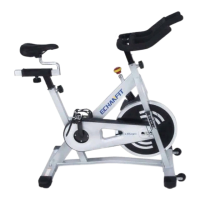
FIG.4:
A) The Pedals (pt.1 L & pt.1 R) are
marked "L" and "R" - Left and Right.
B) Connect them to their appropriate
crank arms. The right crank arm is on
the right- hand side of the cycle as you
sit on it.
Note that the Right pedal should be
threaded on clockwise and the Left
pedal anticlockwise.
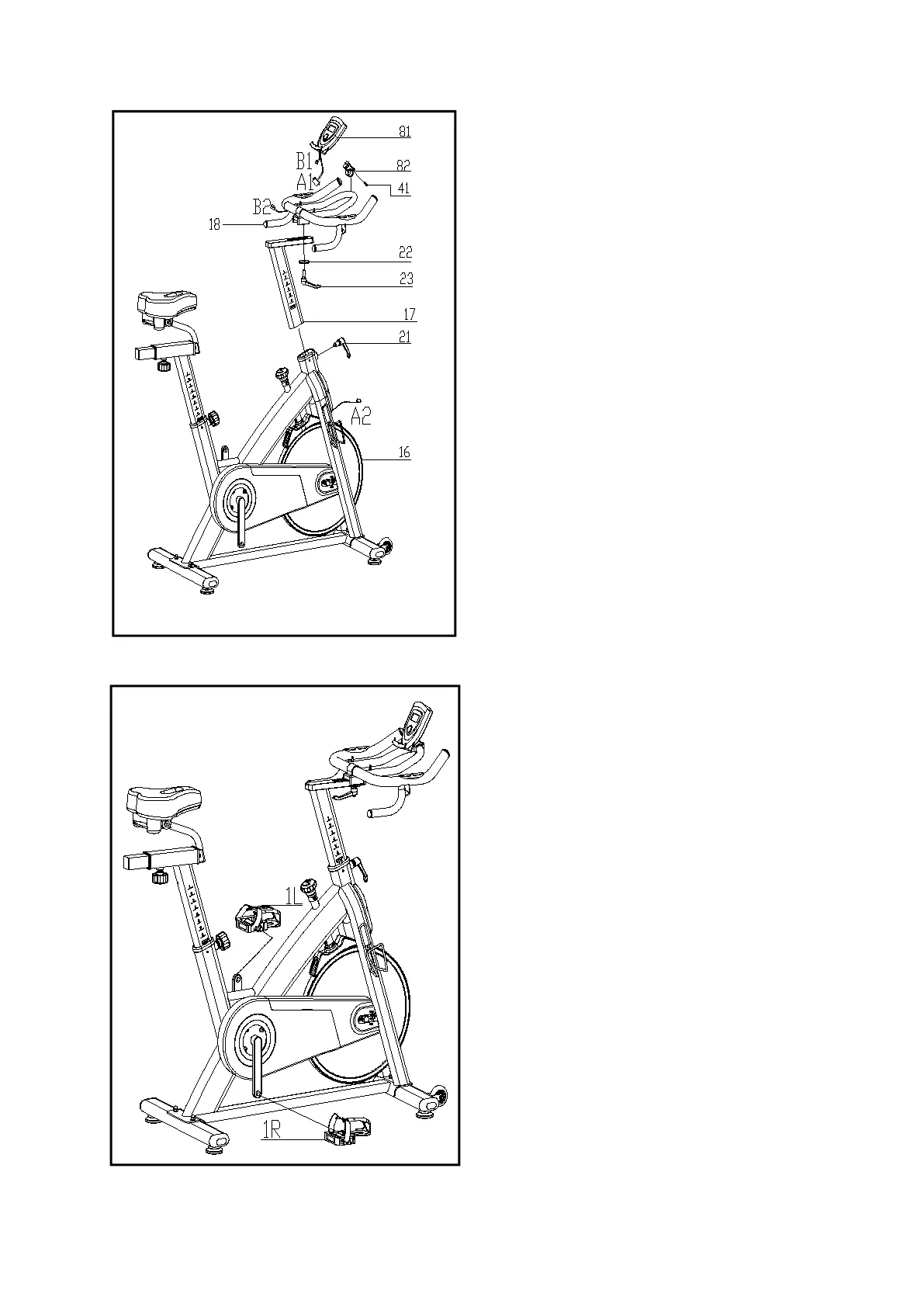
FIG.3:
A) Slide the Handlebar Post (pt.17) into the
handlebar post housing on the main
frame(pt.16). You will have to slacken
the knurled section of the L Shape Knob
(pt.21) and pull the knob back and then
select the desired height. Release the
knob and retighten the knurled portion.
B) Then fix the Handlebar (pt.18) with a flat
washer 1 (22) and L Shape knob (23).
ATTENTION: YOU SHOULD FIX THE
HANDLEBAR TIGHTLY.
Fix the computer (81) onto the Handlebar
post(pt18) with 1pcs Bolt (41), connect
A1&A2, B1&B2.


 To Next Page