Installation Guide
Installation Guide
email - support@aampglobal.com
tel - 800-477-2267
8
Step 3
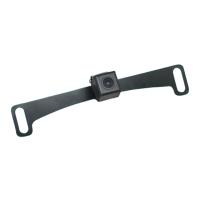
Position the camera mounting bracket
behind the license plate.
Insert the screws to hold the camera
and license plate in place.
Step 4
The camera angle should be mounted
at 30 - 40 degrees downward for
dynamic guidelines to perform
correctly.
Step 5
Connect to the monitor.
(see instructions on page 12)


 To Next Page