
 Need help?
Do you have a question about the Eclipse AVN 6600 and is the answer not in the manual?
Explains safe usage guidelines and the meaning of warning symbols.
Lists critical safety warnings to prevent injury, damage, or malfunctions.
Describes how the manual is organized for user navigation and understanding.
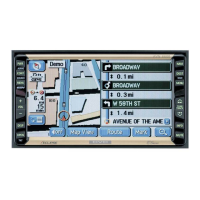
Identifies physical controls and touch screen elements of the AVN6600 unit.
Guides users through initial setup, including program loading and language selection.
Details the procedure for turning the AVN6600 unit's power ON and OFF.
Instructions for inserting and ejecting various disc types (CD, DVD).
How to adjust the screen's tilt angle for optimal viewing.
Overview of the three primary operating modes: Navigation, Information, and Audio/DVD.
Details how device functions operate based on conditions and how to switch modes.
Covers vehicle positioning, map viewing, scrolling, and scale adjustments.
Guides on registering home and other favorite locations for easy access.
Instructions for searching destinations and starting route guidance.
Details on setting desired routes, adding stops, and selecting alternatives.
How to stop, restart, or delete destinations during active route guidance.
Covers displaying the clock and turning off the navigation screen.
Step-by-step guide to recalibrate the vehicle's position on the map.
How to select different audio sources like FM, AM, CD, DVD, etc.
Guides on tuning, recording stations, and turning off the AM/FM radio.
Instructions for listening to HD Radio, recording stations, and displaying info.
How to select channels and display broadcast information for SIRIUS radio.
Steps for playing music files from CDs, MP3s, and WMAs.
How to connect and operate an iPod through the AVN6600 system.
Instructions for playing DVD videos and manipulating playback.
Covers DUAL PLAY, EQ, bass enhancement, and sound field position.
Setting up and canceling the ESN security feature with a music CD.
How to mute button sounds and change the screen display size.
Detailed technical specifications for GPS, display, and radio tuner components.
Details the limited warranty, exclusions, and product registration process.
 General
| Brand | Eclipse |
|---|---|
| Model | AVN 6600 |
| Category | Car Video System |
| Language | English |

 To Next Page

