Once you’ve opened the app, add your
SmartCamera to begin setup.
Find out more at ecobee.com/setup
Open the ecobee mobile app to
get started
Lorsque l’appli est ouverte, ajoutez votre
SmartCamera pour en commencer la
configuration. Pour en savoir davantage,
visitez ecobee.com/setup
Ouvrez l’appli mobile ecobee
pour commencer
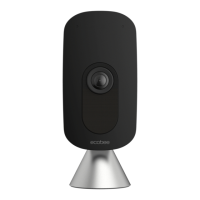
Meet your SmartCamera Familiarisez-vous avec
SmartCamera
Wide-angle lens
Objectif grand angle
Camera indicator
Voyant de la caméra
Voice assistant indicators
Voyants d’assistant vocal
Microphones
Night vision
Vision de nuit
Speaker
Haut-parleur
Front view
Vue avant
Voice assistant button
Bouton de l’assistant vocal
Mute button
Bouton muet
Dual stand/mount
Support/fixation mixte
Top view
Vue du dessus


 To Next Page
