13
(1) Take out the tripod, unscrew the knob screw and the knob nut and take out the two L-shaped
brackets;
(2) The L-shaped bracket is to be attached to the front fixing sleeve and the rear fixing sleeve as shown in
Fig. 2 and then the knob nut screwed on. The knob nut is tightened as shown in Figure 3;
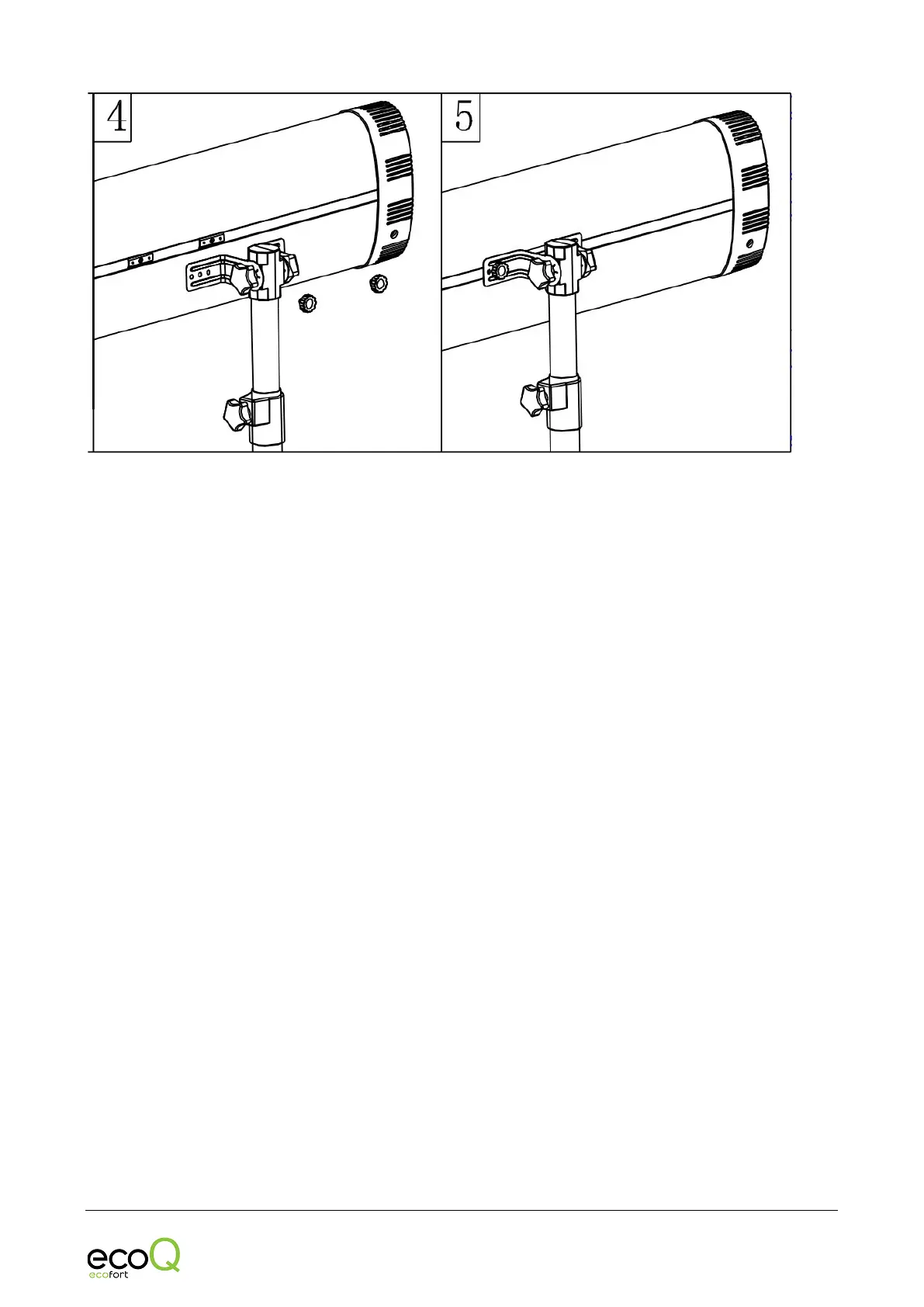
(3) Unscrew the 2 PCS handle screws on the heater and move the 2 PCS slider to the center of the heater.
Position the assembled bracket assembly and then pass the handle screw through the L-bracket. Tighten
as shown in Figure 5.



 To Next Page