12
Do not insert sharp objects into the atmospheric pres-
sure sensor, the pressure vent, or the microphone.
Inner components of the Smart-Ex Watch 01 may be
damaged along with the waterresistance feature.
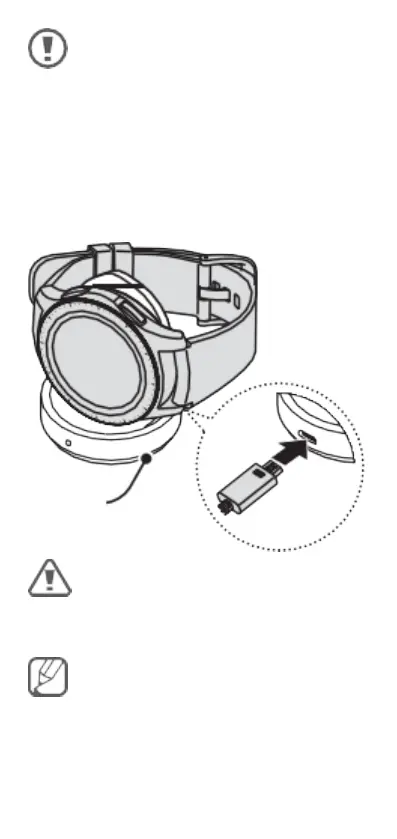
Charging the battery
Before using the Smart-Ex Watch 01 for the rst time,
you must charge the battery.
Wireless
charging dock
Use only ecom-approved chargers, charge only out-
side the hazardous area!
The charger should remain close to the electric socket
and be easily accessible while charging.



 To Next Page