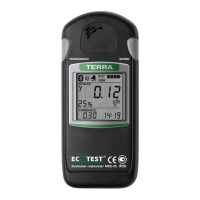
Press shortly the THRESHOLD button to view the measurement results stored
in the nonvolatile memory. The LCD of the radiometer displays the following
information (Figure 29):
- indicator of measurement results location in the nonvolatile memory
(1);
- alarm clock symbol (2) (if the alarm clock is on);
- battery status symbol (3);
- measurement result (4);
- measurement object number (5);
- measurement time (6).
During viewing, if the user presses no buttons of the radiometer, zones (5) and
(6) of the LCD alternatively display the measurement object number and the
measurement time, or the date and year of measurement.


 To Next Page
 Loading...