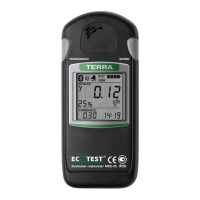
A short press on the THRESHOLD button makes it possible to view the
previous measurement result that has been saved before the measurement result,
which is displayed on the LCD now. The LCD of the radiometer displays the
measurement object number and the time of measurement performance along with
each measurement result.
To exit the mode of measurement results viewing stored in the nonvolatile
memory, press and hold the THRESHOLD button (circa 6 seconds) until the radiometer
enters the mode of photon-ionizing radiation DER measurement.
To clear the measurement results stored in the nonvolatile memory,
simultaneously press and hold the MODE and the THRESHOLD buttons until the
“CLr” and the “Arch” symbols appear on the LCD of the radiometer (Figure 30).


 To Next Page
 Loading...