EasyManua.ls Logo

Ecozy AF-CT600B - APP REGISTRATION AND LOGIN; App Registration and Login; CONNECTION MODE; Connecting the Air Fryer to WiFi

Ecozy AF-CT600B
25 pages
Print Icon
To Next Page IconTo Next Page
To Previous Page IconTo Previous Page
Loading...
D
__
Note:
Google
Play™
15
а
trademark
of
Google
Inc.,
апа
App
Store™
15
а
trademark
of
Apple
Inc.
®
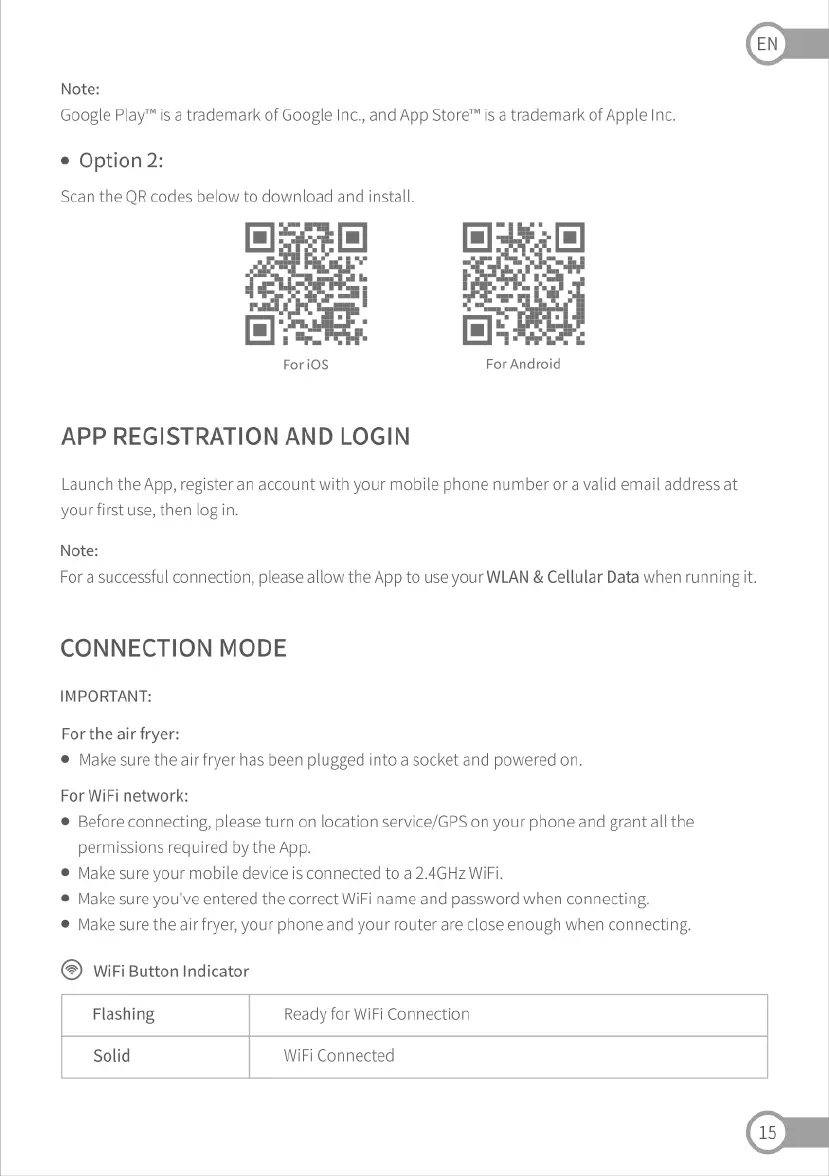
Option
2:
Scan
the
QR
codes
below
to
download
and
install.
Forios
For
Android
APP
REGISTRATION
AND
LOGIN
Launch
the
App,
register
ап
account
with
your
mobile
phone
number
ога
valid
email
address
at
yourfirst
use,
then
log
п
Note:
For
a
successful
connection,
please
allow
the
App
to
use
your
WLAN
&
Cellular
Data
when
running
it.
CONNECTION
MODE
IMPORTANT:
For
the
атг
fryer:
®
Make
sure
the
а!г
fryer
has
been
plugged
into
а
socket
апа
powered
оп
For
WiFi
network:
®
Before
connecting,
please
turn
on
location
service/GPS
оп
your
phone
and
grant
all
the
permissions
required
by
the
App.
®
Make
sure
your
mobile
device
15
connected
to
а
2.4GHz
WiFi.
®
Make
sure
you've
entered
the
correct
WiFi
name
апа
password
when
connecting,
®
Маке
sure
the
а!г
fryer,
your
phone
and
your
router
аге
close
enough
when
connecting,
WiFi
Button
Indicator
Flashing
Ready
for WiFi
Connection
Solid
WiFi
Connected