21
Installing the Motherboard
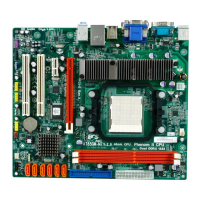
WOL1: Wake On LAN connector (optional)
If you have installed a LAN card, use the cable provided with the card to plug into the
WOL connector onboard. This enables the Wake On LAN (WOL) feature. When
your system is in a power-saving mode, any LAN signal automatically resumes the
system. You must enable this item using the Power Management page of the Setup
Utility in the BIOS. See Chapter 3 for more information.
Pin Signal Name Function
1 5VSB +5V stand by power
2 GND Ground
3 Ring# Wake up signal (low active)


 To Next Page
 Loading...