35
ENGLISH
USER MANUAL
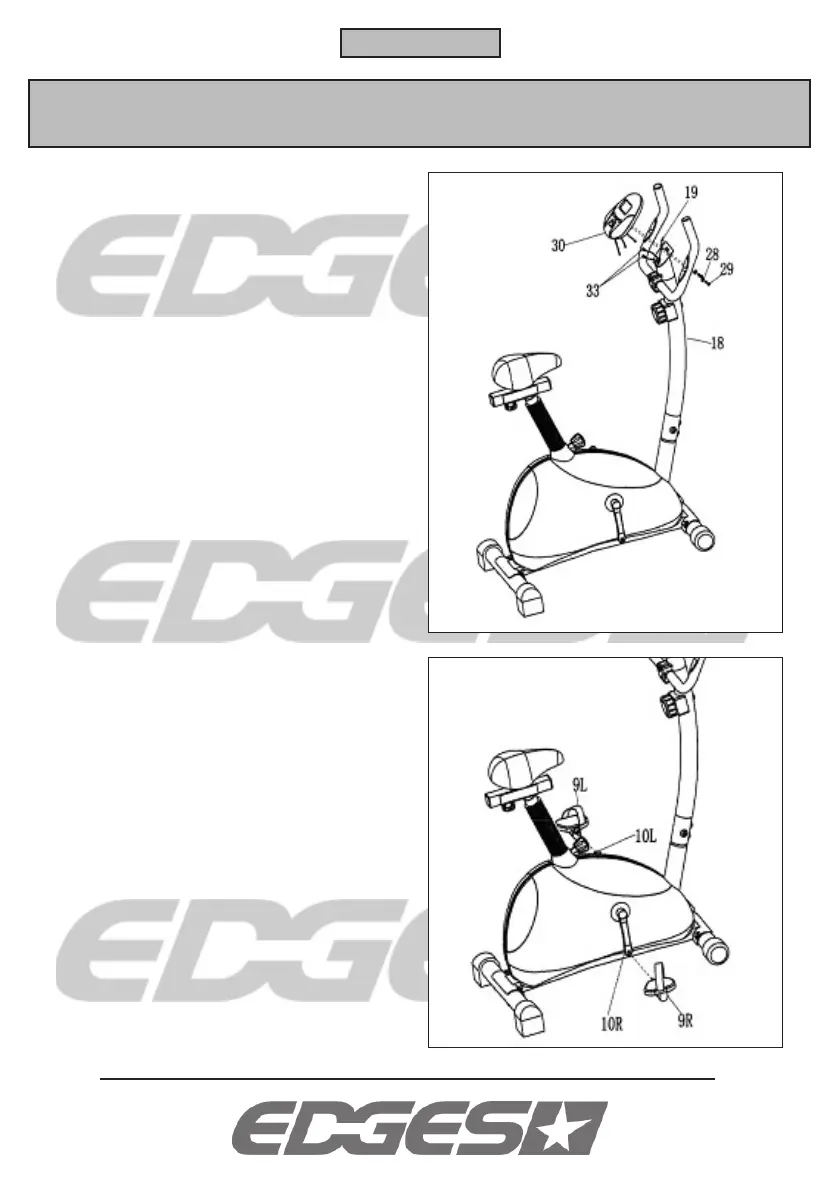
Plug the pulse cable (33) and sensor cable (19)
into the computer (30).
Attach the computer to the bracket on the
handlebar post using a washer (28) and a screw
(29).
Attach the left pedal (9L) to the left pedal shaft
(10L) by screwing it anti-clockwise.
Attach the right pedal (9R) to the right pedal shaft
(10R) by screwing it clockwise.
Open the battery cover on the back of the
computer (30) and insert two AA batteries (not
included). Replace the cover.


 To Next Page