3 Remote Control
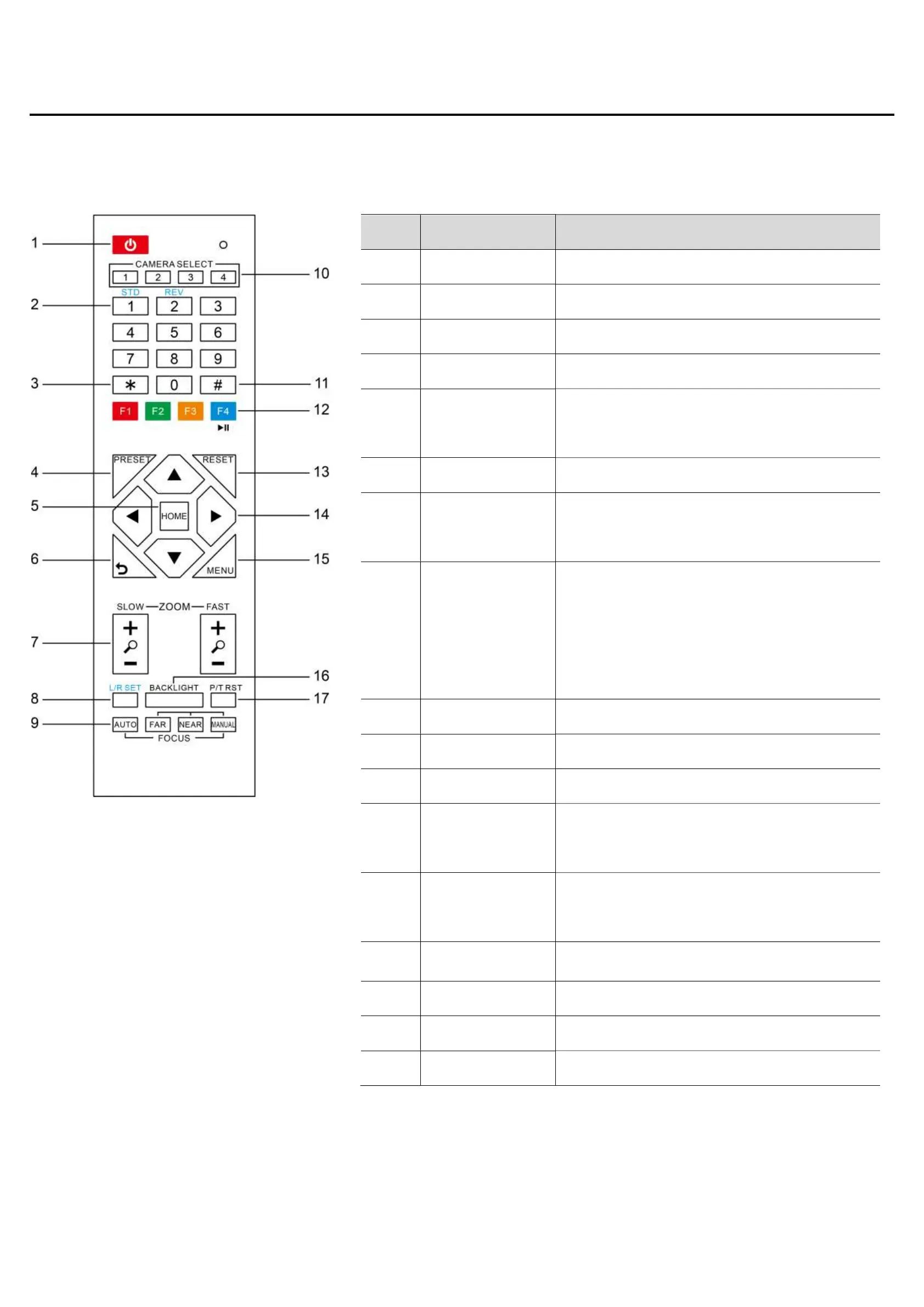
No. Name Function Description
1 Standby Key Enter into standby mode by pressed it
2 Number Key Preset setting or transfer preset
3 *Key Equipped with other keys for using
4 Preset Key Preset: Setting Preset + Number key (0-9)
5 HOME Key
Confirm menu or the PTZ will back to the
middle position after pressed it
6 Return Key Return back the last level menu
7 Zoom Button
Making the lens wide angle/narrow angle
slowly or quickly
8
Left/Right Setting
Key
Standard: Simultaneously press Left/Right
setting key + 1 (horizontal)
Reverse: Simultaneously press Left/Right
setting key + 2 (horizontal)
9 Focus Key auto/manual/far-end/near-end focus
10 Selection Key Select the camera need to control
11 #Key Need to equipped with other key
12
IR Remote
Control Key
[*+#+F1/F2/F3/F4]: NO.1/2/3/4 address
13 Reset Key
Delete preset (reset key + corresponding
preset number key)
14 PTZ Control key PTZ moved according to the arrow indicates
15 Menu Key Enter or exit OSD Menu after pressed it
16 Backlight Key Turn on/off backlight consumption (loop)
17 PTZ Reset Key PTZ starts to self-test after pressed it


 To Next Page
 Loading...