User ’ s Manual Wireless USB Adapter
22
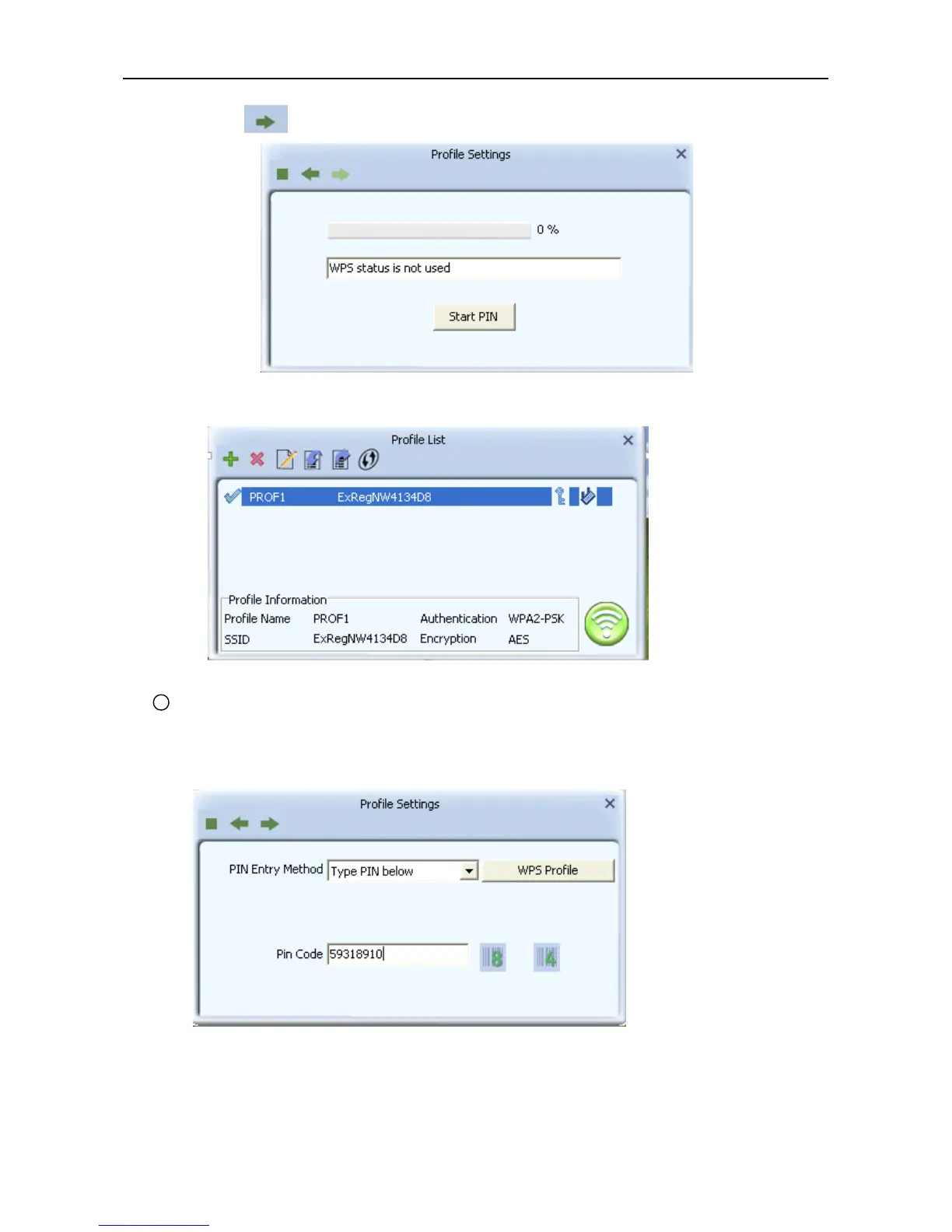
b. Press to next then press “ Start PIN ” .
c . After a successful connection it creates a Profile .
2 Type PIN below mode
a. Select “ Type below mode ” in the PIN Entry Method.And write router ’ s PIN Code i n the “ Pin
Code ” .You can view router ’ s PIN Code in the instructions of the router or the label on the back of the
router.
b. You can press “ WPS Profile ” to view WPS Profile.No change is reconmend



 To Next Page