
 Need help?
Do you have a question about the EE Smart Hub and is the answer not in the manual?
Essential safety instructions for operating the EE Smart Hub to ensure user and family safety.
Lists and describes the physical components provided with the EE Smart Hub.
Explanation of the Hub's status light and its various indicators.
Information on wireless network name and password for connectivity.
Description of the Hub's physical ports and buttons for connectivity and operation.
Explains the meaning of 'No Light', 'Green light', and 'Flashing yellow light'.
Covers 'Flashing aqua light', 'Yellow light', and 'Aqua light' for connectivity status.
Describes the 'Red light' status and necessary troubleshooting actions.
Explains the 'WPS button and light' behavior for wireless device pairing.
Overview of steps to prepare for setting up the EE Smart Hub.
Details on connecting the broadband cable to the Hub and phone socket.
Instructions for plugging in the power cable and activating the Hub.
How to turn on the Hub and what to observe during its startup.
Steps to connect wireless devices using network name and password or WPS.
Guide to updating broadband username and password via the Hub's interface.
Instructions for configuring broadband username and password for specific providers.
Tips for positioning the Hub to achieve the best WiFi signal strength.
Instructions on how to open and access the EE Smart Hub Manager interface.
Overview of what you can do within the Hub Manager, such as checking status and settings.
Steps to take if the Hub shows a yellow or flashing aqua light.
Information on how to contact EE for support and their operating hours.
Details on compliance with Radio Equipment Directive and radiation exposure limits.
Information on operational modes, frequencies, and maximum transmitted power.
Instructions for proper disposal and recycling of the Hub and accessories.
EE Ltd's declaration of compliance for the EE Smart Hub with EU directives.
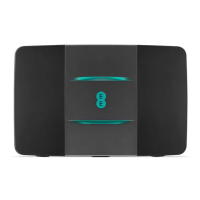
The EE Smart Hub is a broadband router designed for home internet connectivity, offering both wired and wireless connections. This user guide provides instructions for setup, usage, troubleshooting, and important safety information.
The EE Smart Hub serves as the central point for internet access in your home. It connects to your broadband line and distributes internet access to your devices via Wi-Fi or Ethernet cables. Key functions include:

 To Next Page
 General