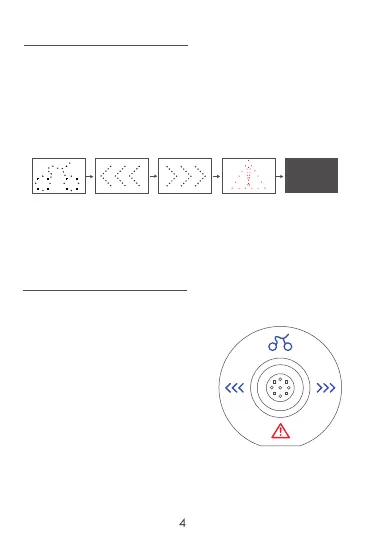
LED Display:
Power on: Press the On/Off button.
Four different LED signal lights will light up one by one
as shown below.
The LED display will then go into stand-by mode. It
won’t be re-activated until the remote controller is on.
Power o: Press the On/Off button while the LED
display is working normally. The LED signal lights
will go off immediately.
Remote Control:
Power on: Slide the button back and hold for
5 seconds, 3 different signal
icons will light up
(Cycling/left/right)
Once the signals icons
disappear, it is ready to use.
The LED display Power On
signal light will also light up.
Power o: Slide the button back while in use and
hold for 5 seconds.



 To Next Page