more.com.au
4
eero 6+ Quick Start Guide
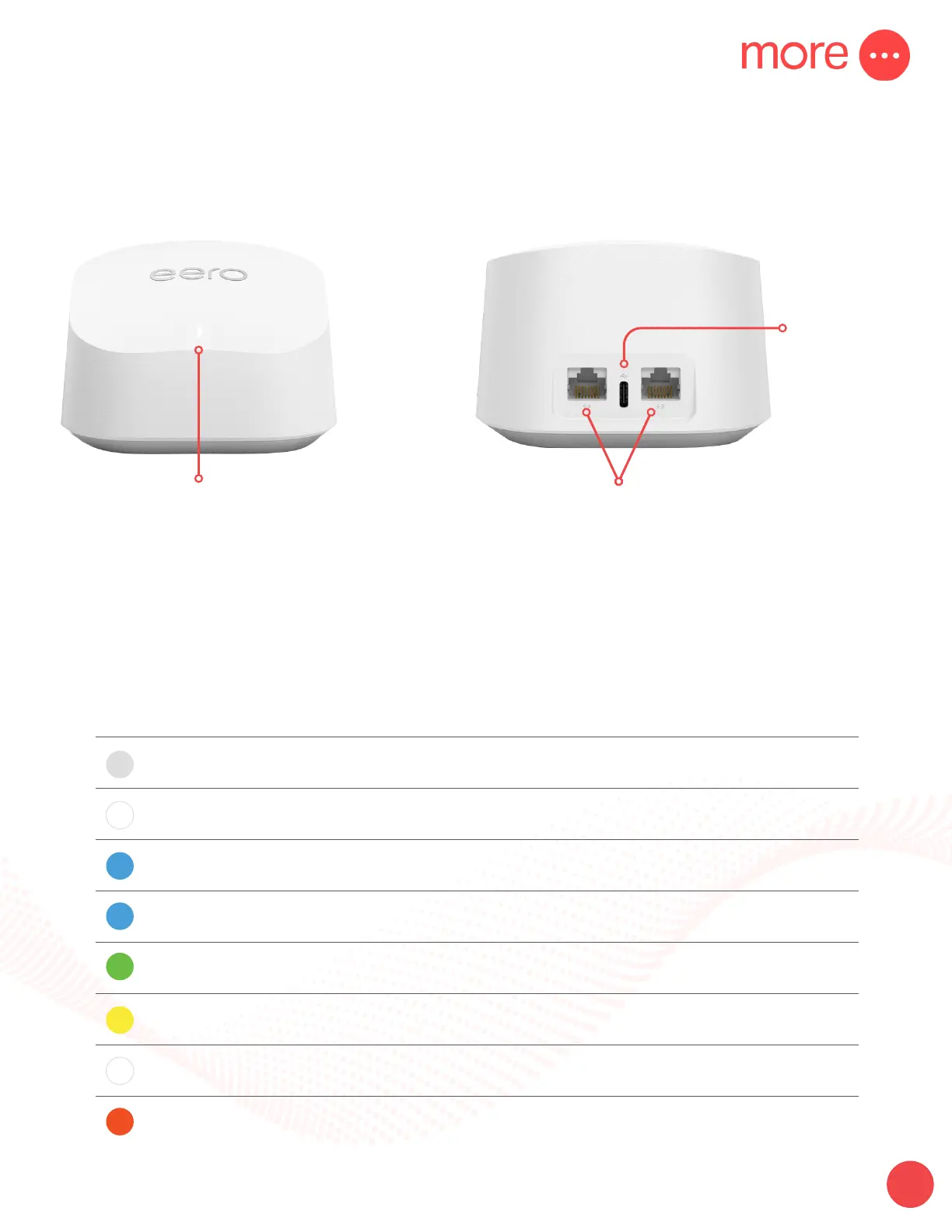
Front view of the device Back view of the device
LED Light
Will indicate connection
with a solid blue light.
Ethernet Ports
Connect your ethernet based devices,
e.g. desktop computer, laptop and/or modem.
USB-C
Power Port
If your LED is in a dierent state, including a dierent colour or is blinking/ashing, please
refer to the list below:
LED Colour What it Means
No Light eero doesn’t have power
Blinking White eero software starting up/connecting to the internet
Blinking Blue Broadcasting bluetooth
Solid Blue
The eero app is connected to your eero and setting it
up
Blinking Green Multiple eeros detected
Blinking Yellow Unapproved USB-C power source used
Solid White eero connected to the internet
Solid Red eero is not connected to the internet



 To Next Page