EasyManua.ls Logo

Ego Power+ LBX6000 - Battery and Operation Basics; Battery Pack Installation and Removal; Starting and Stopping the Blower

Ego Power+ LBX6000
40 pages
Print Icon
To Next Page IconTo Next Page
To Previous Page IconTo Previous Page
Loading...
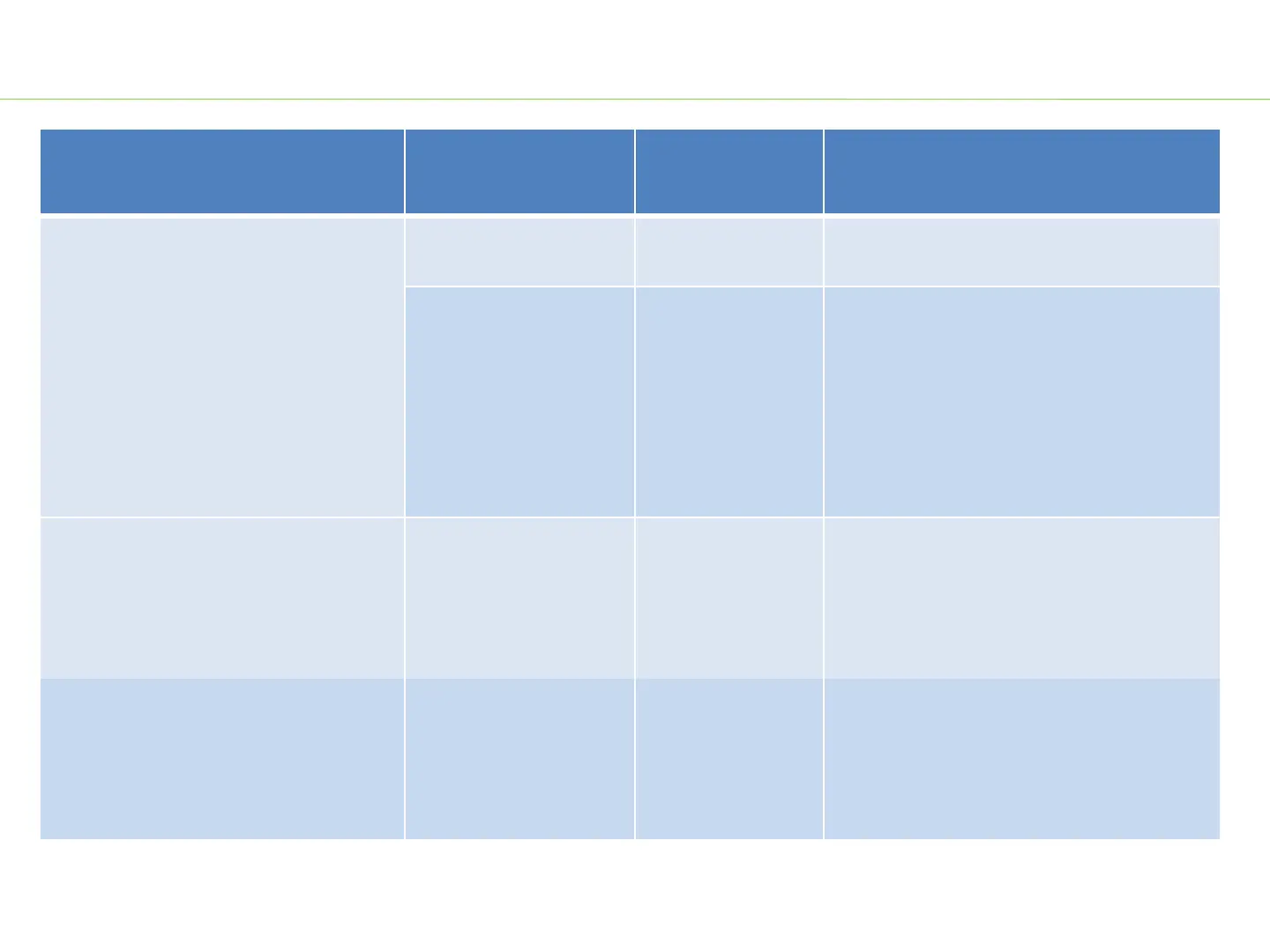
Troubleshooting
Problem
Possible Cause
Fault Position
Test & Solution
Fail to start
PCBA is
damaged.
PCBA in Handle
Replace PCBA
in the handle.
Motor is damaged.
Motor in Ducted
Assembly
Measure the resistance between any
two of the three cables in the motor
and ducted assembly by using a
multimeter.
If the resistance is infinite, replace
the motor
and duct assembly.
Press the boost button/air
velocity adjusting knob when the
blower runs, the air velocity and
the volume doesn’t change.
PCBA is broken
PCBA in Handle
Replace PCBA
in the handle.
The air velocity and the volume
are decreased compared
with
normal use.
The fan in the duct is
over
-worn
Fan in Ducted
assembly
Open the handle housing ,
take off
the fan baffle
and check the fan. If
the fan is over
-worn, replace the
motor and duct assembly.
3
LBX6000 Blower

Other manuals for Ego Power+ LBX6000

Related product manuals