06
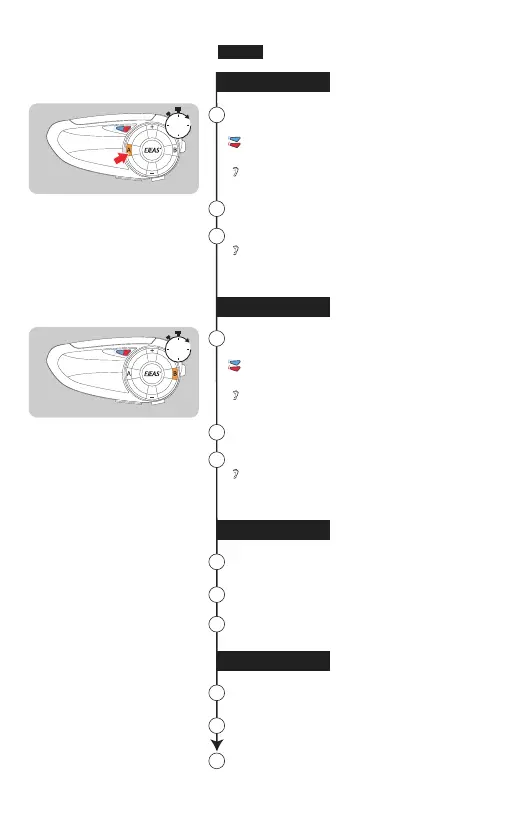
main & sub-C
Red & blue lights flash fast
alternately
"Intercom C pairing"
Use the main device's "A" button
to pair with the sub-C's "A"
8
Auto searching & connecting
Pairing successful
"Intercom pairing successful"
"Intercom C connected"
9
10
5s
4 models pairing
5 models pairing
main & sub-D
Red & blue lights flash fast
alternately
"Intercom D pairing"
Use the main device's "B" button
to pair with the sub-D's "B"
11
Auto searching & connecting
Pairing successful
"Intercom pairing successful"
"Intercom D connected"
12
13
6 models pairing
Use the main device's "A" button
to pair with the sub-E's "A"
14
Auto searching & connecting
Pairing successful
15
16
7 models pairing
Use the main device's "B" button
to pair with the sub-F's "B"
17
Auto searching & connecting
Pairing successful
18
19
5s
English


 To Next Page