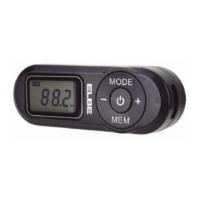
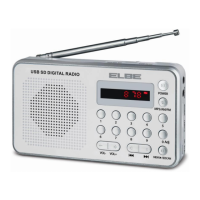
Operation:
1. Press the indicator on the battery cover and slide it to the right to install the two 1.5V AAA type batteries. on
the radio correctly. Then close the lid again. Before turning on the radio, plug the earphones (included) into the
3.5mm jack at the end of the radio indicated with the “ ” symbol (the earphone acts as a receiving antenna for
the radio radio).
2. On/Off button: Press the “ ” button, the radio will turn on. The LCD will show “On”. When the radio is on,
pressing the button again will turn off the radio.
3. MODE: Automatic station search and store / manual station selection / switch between search mode and play
mode.
Operations for automatic search and storage:
Press the MODE button for more than one second, the radio will start auto scan with automatic station storage.
During this process, the symbol “FM” will be displayed on the upper left corner of the LCD screen and the word
“PRESET” (store) will be displayed on the bottom of the screen. The SCAN symbol will flash and the frequency
will be automatically scanned from the lowest 87.5 Mhz to the highest 108 Mhz. During this process, if you press
any other button, it will interrupt the scan. Up to a maximum of 20 stations can be stored.
After finishing the auto scan and memorize process, the radio will display and play the first memorized station
with signal.
Switching between manual interval or tone tuning mode:
After connecting the radio, short press the MODE button once to enter manual tuning mode. In this mode the
“FM” symbol will flash on the screen.
When the “FM” symbol is flashing, the + and - buttons will increase or decrease the frequency. If the + and –
buttons are pressed with a short press, the radio will go up or down in frequency in 0.1 Mhz intervals. On the
contrary, if the + and - buttons are pressed for one second, the radio will search up or down the dial for the next
station with a receivable signal, after which it will stop searching and start playing the recently found station by
displaying the frequency on the LCD screen.
4. Play mode
After finishing the manual tuning mode, short press the MODE button, the “FM” symbol will stop flashing on the
LCD display and show steady. From then on, if you press the + or - buttons you will be able to increase or
decrease the volume of the radio.
This RF-96 model has 16 volume levels: from 00 to 15. The user can choose the level of his preference.
By short pressing the + or - button, you can increase or decrease the volume by 1 by 1. By pressing the + and -
button for more than one second, you can quickly adjust the volume.
+ and - buttons: Raise or lower the selected frequency, volume or selected preset station.
In tuning mode: increase or decrease the selected frequency.
In playback mode: increase or decrease the selected volume.
In station memory mode: up or down the selected station memory.
5. MEM: Manually store a station / access a station.
Manually store stations: Press the MEM button for one second, the LCD will display P01…P20 (indicates the
memory position), and the “PRESET” indicator will start flashing. press the buttons + and – to select the memory
location where the station is going to be stored. After selecting that position, press the MEM button again to


 To Next Page
 Loading...