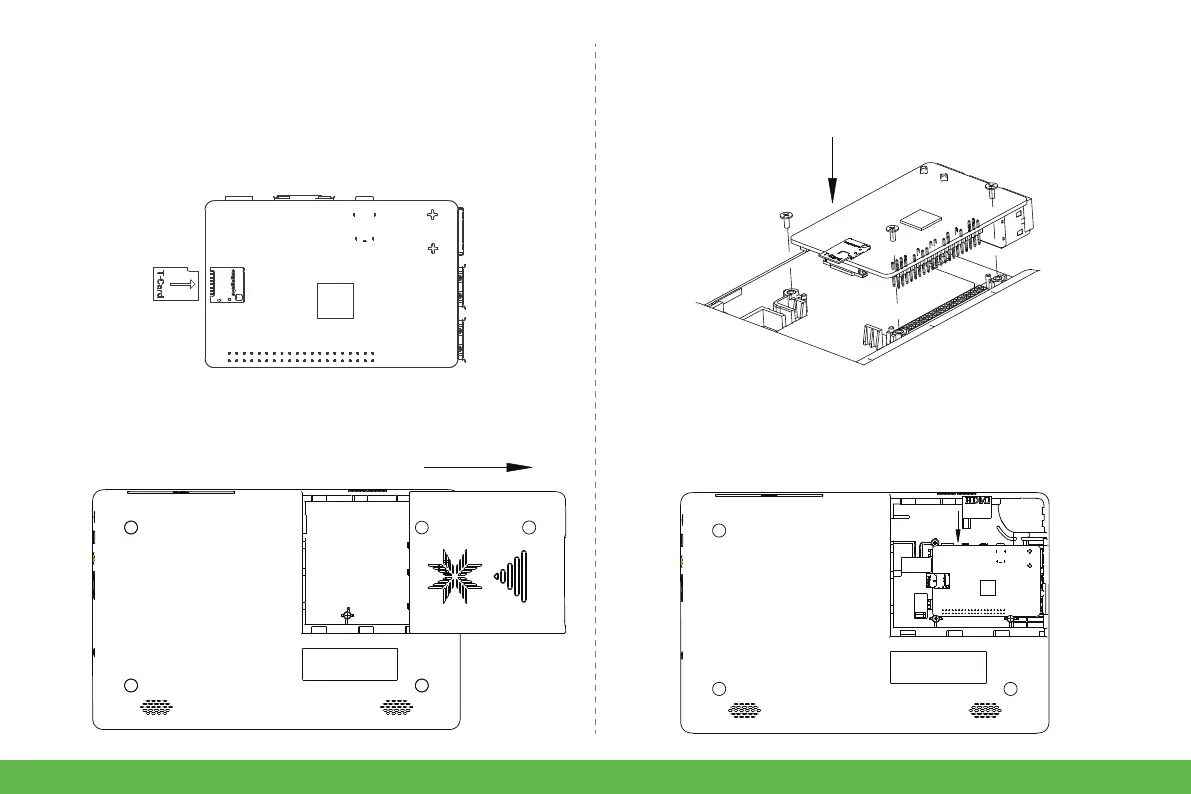
1. Insert the SD card (built in system) into the Raspberry
Pi SD card slot.
2. Push to the right to open the back cover of the Crowpi2
Raspberry Pi compartment.
3. Vertically install the Raspberry Pi 4 with the TF card
inserted into the Raspberry Pi compartment.
4. Connect the Micro HDMI adapter board to the Micro
HDMI interface of the Raspberry Pi.
● Install Raspberry Pi
How to use
6


 To Next Page