
 Need help?
Do you have a question about the Electriq Power PowerPod 2 and is the answer not in the manual?
Create your login for the PowerPod 2 portal or mobile app.
Visualize real-time energy sources and consumption, including battery status.
View Net Solar Production vs. Home Consumption on the timeline graph.
Use selectors to view daily, weekly, monthly, or yearly energy performance.
Select Backup, Self-Supply, or Time-of-Use modes to match home needs.
Access user manual, safety guidelines, and contact support for assistance.
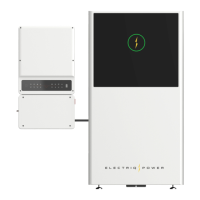
The Electriq Power PowerPod 2 is an energy storage system designed for AC-coupled solar systems, providing homeowners with advanced control and monitoring of their energy usage. This quick user guide outlines the primary functions and features of the PowerPod 2, focusing on its integration with solar power and the benefits it offers for energy management.
The PowerPod 2 acts as a central hub for managing energy flow within a home equipped with an AC-coupled solar system. It stores excess solar energy in its battery for later use, reducing reliance on the grid and optimizing energy consumption. The system is designed to enhance energy independence, provide backup power during outages, and help users save on electricity costs by leveraging time-of-use (ToU) rates.
The PowerPod 2 offers a comprehensive suite of features accessible through a user-friendly online dashboard and a dedicated mobile app.
Upon installation, users receive a welcome email with a link to set up their username and password for the PowerPod 2 portal, accessible at dashboard.electriqpower.com. A mobile app is also available for download, providing convenient access to system data on the go.
The "Power Flow" view provides real-time readings of energy movement within the system. Users can see live data from their solar panels, the PowerPod 2 battery, their home's consumption, and the grid. This visual representation clearly indicates where energy is coming from and where it's going, including the battery's current state of charge. For AC-coupled systems, the readings are net values, meaning they represent the difference between solar production and home consumption. A positive result indicates net solar production, while a negative result indicates net consumption.
The "Timeline" view allows users to review historical energy generation and usage data. This view also displays net values for solar production and home consumption. Users can select different timeframes (daily, weekly, monthly, or yearly) to analyze trends, set benchmarks, and gain insights into their energy activity. This feature is particularly useful for understanding how energy consumption patterns change over time and how effectively the solar and battery system is performing. The AC-coupled PowerPod 2 is capable of starting from solar even if the batteries are fully depleted during a power outage, ensuring continued power supply.
The "System" view enables users to configure the PowerPod 2's operational mode to best suit their needs. Three primary modes are available:
The PowerPod 2 is designed for minimal user maintenance.
The battery unit contains no user-serviceable parts. Users are explicitly warned not to attempt to service the battery or open it, as doing so will void the warranty. This ensures the safety and longevity of the device.
A comprehensive PowerPod 2 User Manual is available for download at electriqpower.com. This manual provides detailed information on troubleshooting, warranty specifics, and frequently asked questions, serving as a primary resource for users.
For technical support, users are directed to contact their program provider or authorized installer. Additionally, the Electriq Power customer support team can be reached at support@electriqpower.com for assistance with the PowerPod 2 battery.
 General
| Dimensions | 635 x 965 x 254 mm |
|---|---|
| Nominal AC Voltage | 230V |
| AC Output Frequency | 50Hz |
| Output Voltage | 230V |
| Frequency | 50Hz |
| Inverter Type | Hybrid |
| Max Continuous Output Power | 5 kW |
| AC Output Power | 5 kW |

 To Next Page
