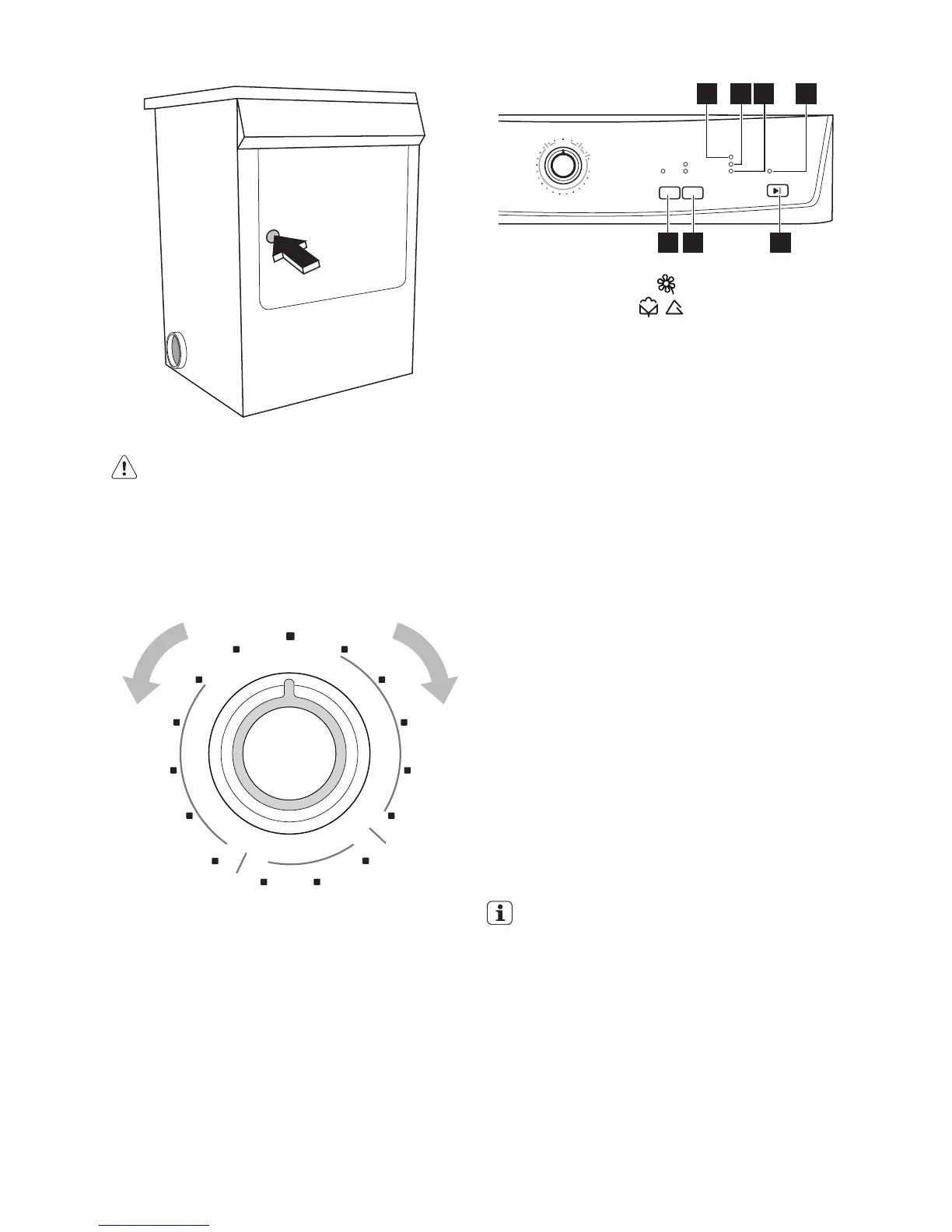
2. Load your laundry (do not force it in).
Caution! Do not jam laundry in between
the loading door and rubber seal.
3. Close loading door securely. Lock must
audibly lock.
Selecting the programme
Use the programme selector to set the pro-
gramme you require.
Selecting additional functions
You can choose from the additional functions
(only with time programmes ) :
button 1 -DELICATE
button 2 -TEXTILE
DELICATE
Pressing this button allows drying to be per-
formed at a lower temperature, for delicate
items. The corresponding pilot light comes
on. This option can also be used for time
controlled drying.
TEXTILE
Press the Textile button repeatedly, to select
the desired option. The relevant light will light
up. You can select 2 different options: COT-
TON cycle: to be used for cotton, and SYN-
THETICS : to be used fo r synthetic or delicate
items.
Starting the programme
Press the START PAUSE button 3. The pro-
gramme is started.
The programme phase is shown by appro-
priate lights; light 7 DRYING ,light 6 COOL-
ING, light 5END .
Changing programme
To change a programme which has been se-
lected by mistake once the programme has
started, first turn the programme selector to
"O" (OFF) position. The programme is can-
celled.
The programme can no longer be
changed directly once the programme
has started. If nevertheless there is an
attempt to change the programme on
the programme knob or if an function
button is pressed, led START PAUSE
starts flashing temporarily in yellow. The
drying programme is not however affec-
ted by this (laundry protection).
1 2 3
57 46
electrolux 7




 To Next Page