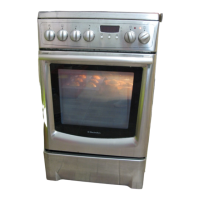
The oven
16
To change the oven light bulb
1 Turn all controls to off and check that the oven
is not hot.
2 Unscrew the glass cover (see illustration).
3 Unscrew the old bulb.
4 Fit a new bulb, marked 230–240 V, 15 W and
300°C, with an E14 screw fitting.
5 Refit the glass cover.
The oven accessories
Release each side rack for the oven shelves at the bot-
tom corners (1), lift it sideways and upwards and
remove from the oven (2). Wash the racks and shelves
by hand or in a dishwasher. If very soiled, soak them
first, before cleaning with a steelwool pad.
The baking trays and oven dish should be wiped
clean with paper towels, or washed by hand when
necessary. Any burnt-on food can be removed using a
suitable spatula.
Storage drawer
1 Empty the drawer and pull it out as far as possible.
2 Hold the handle and lift upwards gently. This
frees the drawer from the catch at the back.
3 Pull the drawer out completely and lift it out.
After cleaning, place the drawer wheels on the brack-
ets
(SEE PICTURE). Lift the drawer slightly as you first
push it in so as to prevent the wheels from fastening in
the front catch.
2
1



 To Next Page
 Loading...