- 18 -
Spares Operation 08.01 A. B. 599 51 19 69 EN
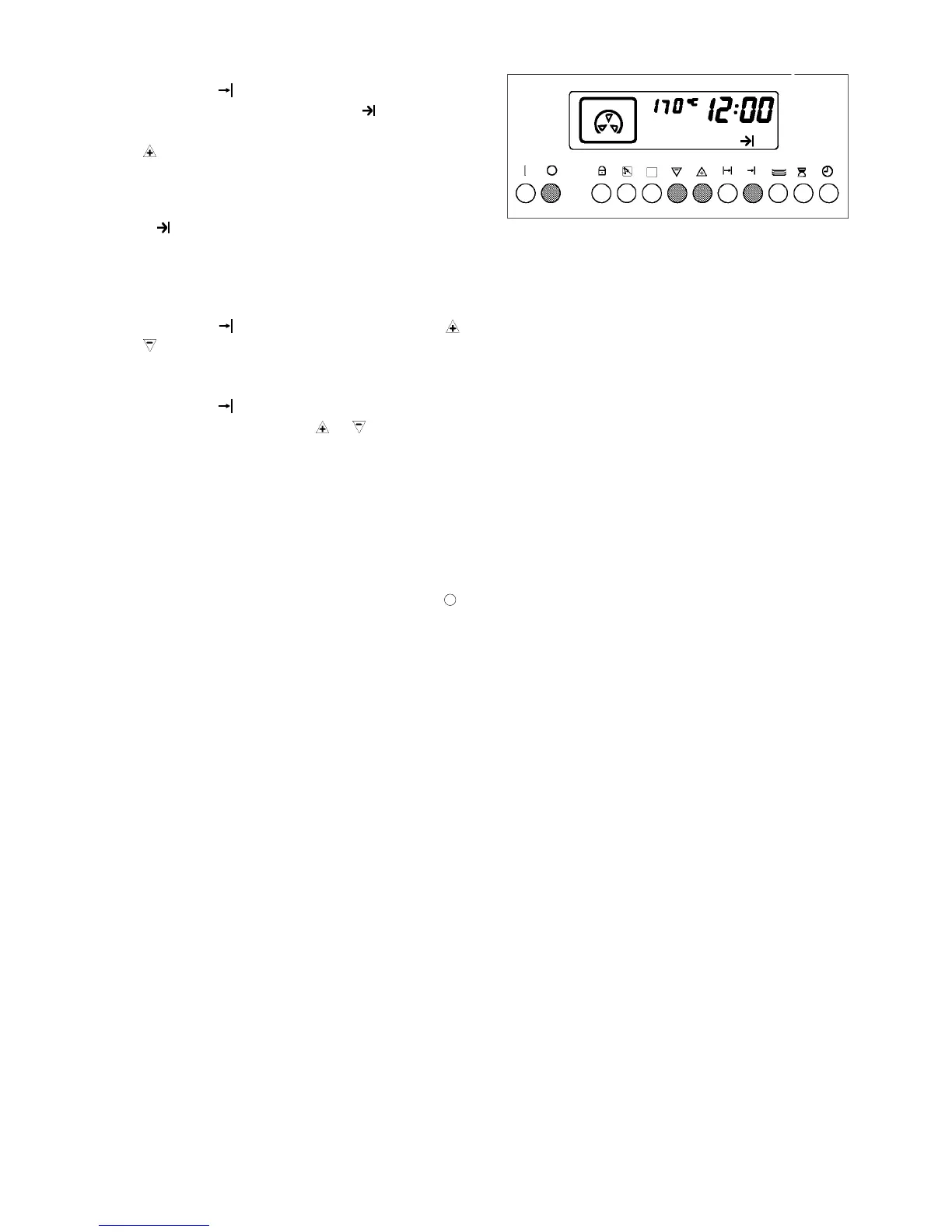
Setting the switch-off time
1. Press key
. The display shows the current
time of day, : and the symbol are flashing.
2. Set the desired switch-off time using the keys
or -.
The switch-off time cannot be set beyond 24 hours.
The display shows the switch-off time and the
symbol
lights.
Example:
Current time 11:15,
the dish should be ready by 12.00.
- Press key
and set 12.00 using the keys or
, the oven is in operation until 12.00.
Corrections:
- Press key
and change the switch-off time as
intended using the keys
or .
A 3-fold signal sound reports the end of the cooking
process. The display now shows again the time of
day and the symbol for the selected function is
flashing. Until the oven switches off automatically, a
signal sound is repeated every 15 seconds,
approximately for 2 minutes.
- Switch off signal sound and oven with key .



 To Next Page