- 23 -
Spares Operation 08.01 A. B. 599 51 19 69 EN
Child lock
The oven control can be protected against unintended
switching on or adjusting by a safety lock. When the
child lock activated, playing children cannot do any
settings with the appliance, which may lead to
endangering. Use this feature even with longer
absence. The child lock can only be activated when
the oven is switched off.
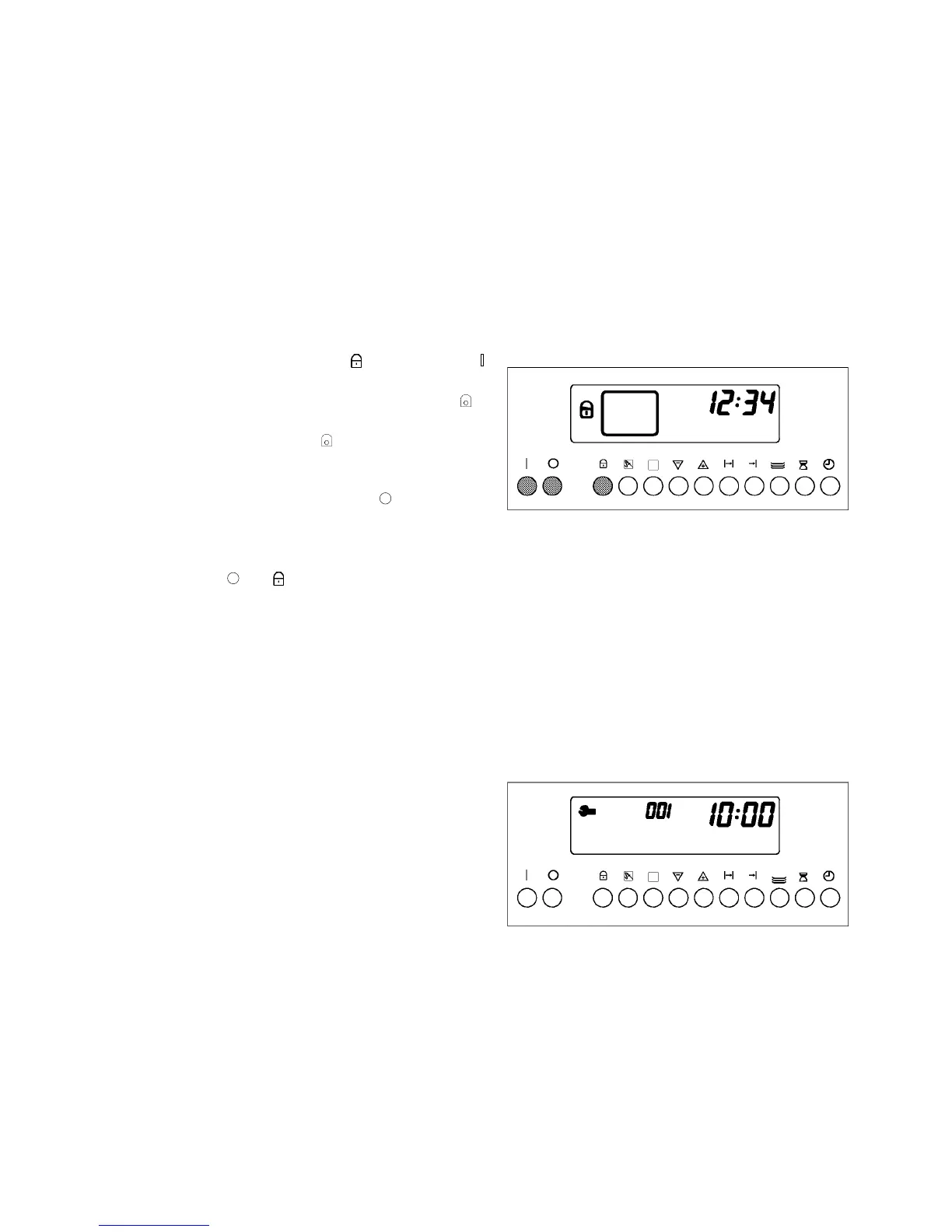
Activation of child lock
When the child lock is activated you have to press the
key child lock simultaneously with the setting
processes. This is also valid for corrections.
1. Press and keep pressed key
, then press key
and keep both keys pressed for approximately 4
seconds, until the display shows the symbol
.
The display shows the symbol
to show that the
child lock is activated.
2. Switch off the appliance with key .
Deactivation of child lock
- Press keys
and simultaneously until the
symbol in the display goes out.
Service symbol
In case of malfunctions with the electronic control, the
display indicates the service symbol and an error
code instead of the temperature indication.
- Switch off the fuse. Switch the fuse on again
after some minutes and try to switch on the
oven. When the service symbol lights again, an
error code is indicated.
- The cooling of the appliance is running
continuously for safety reasons. If necessary,
switch off the appliance again by the fuse.



 To Next Page