10 electrolux control panel
Setting mode
Always remember that when:
- setting the water softener,
- activating/deactivating the rinse aid
dispenser,
the appliance MUST be in setting
mode:
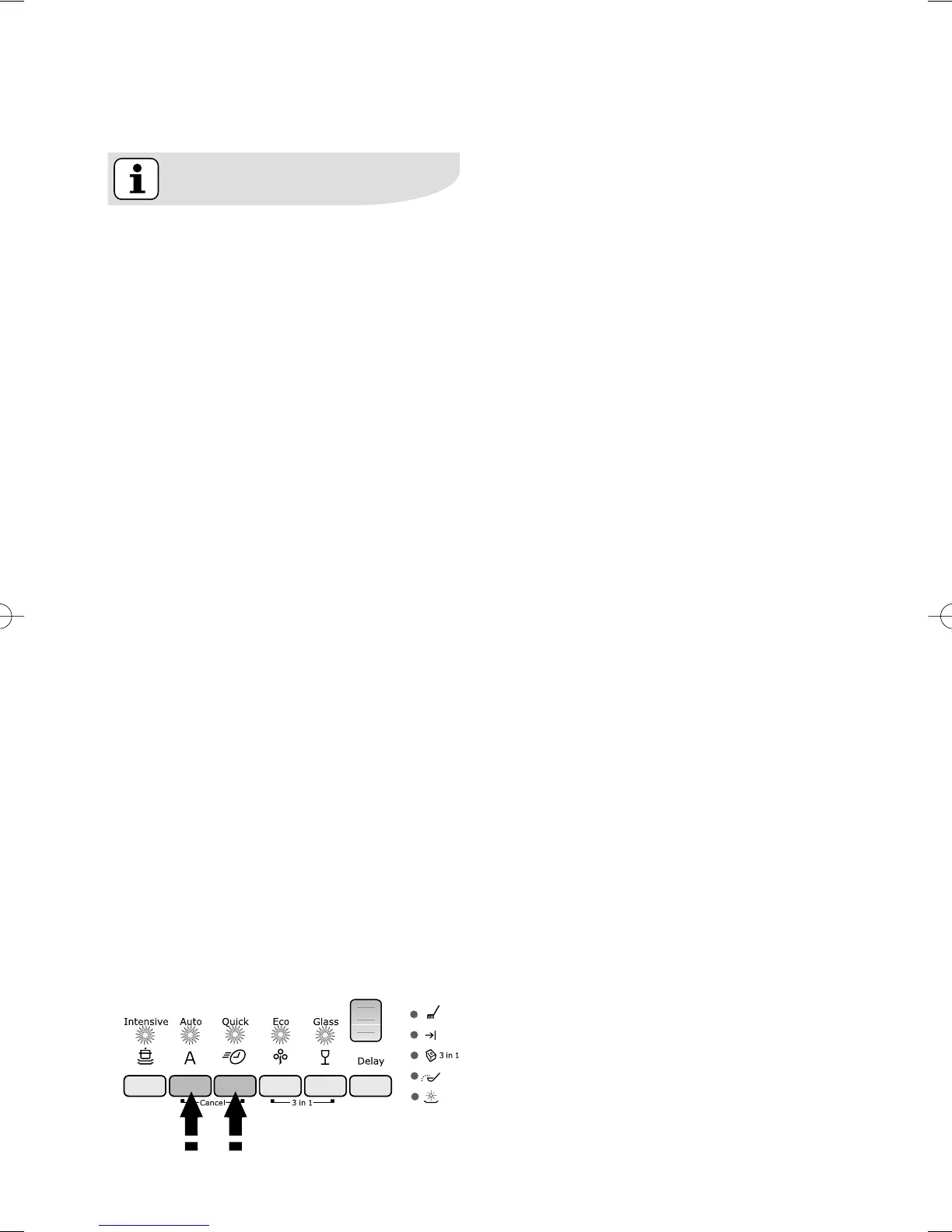
● Press On/Off button, ALL
programme button lights are
illuminated and in the digital
display 3 vertical lines are visible =
appliance in setting mode.
● Press On/Off button, ONLY a
programme button light is
illuminated and in the digital
display 1 vertical line is visible =
last performed or selected
programme still set.
In this case, to return to setting
mode, the programme has to be
cancelled.
To cancel a set programme or a
programme in progress
Press simultaneously and keep
pressed the two programme buttons
positioned over the writing Cancel,
until all the programme button lights
will illuminate and in the digital display
3 vertical lines appear. The
programme has been cancelled and
the machine is now in setting mode.



 To Next Page