German de‐
grees (°dH)
French de‐
grees (°fH)
mmol/l Clarke de‐
grees
Water softener
level
<4 <7 <0.7 < 5
1
2)
1)
Factory setting.
2)
Do not use salt at this level.
Whether you use a standard detergent
or multi-tabs (with or without salt), set
the proper water hardness level to
keep the salt refill indicator active.
Multi-tabs containing salt are
not effective enough to
soften hard water.
How to set the water softener
level
The appliance must be in programme
selection mode.
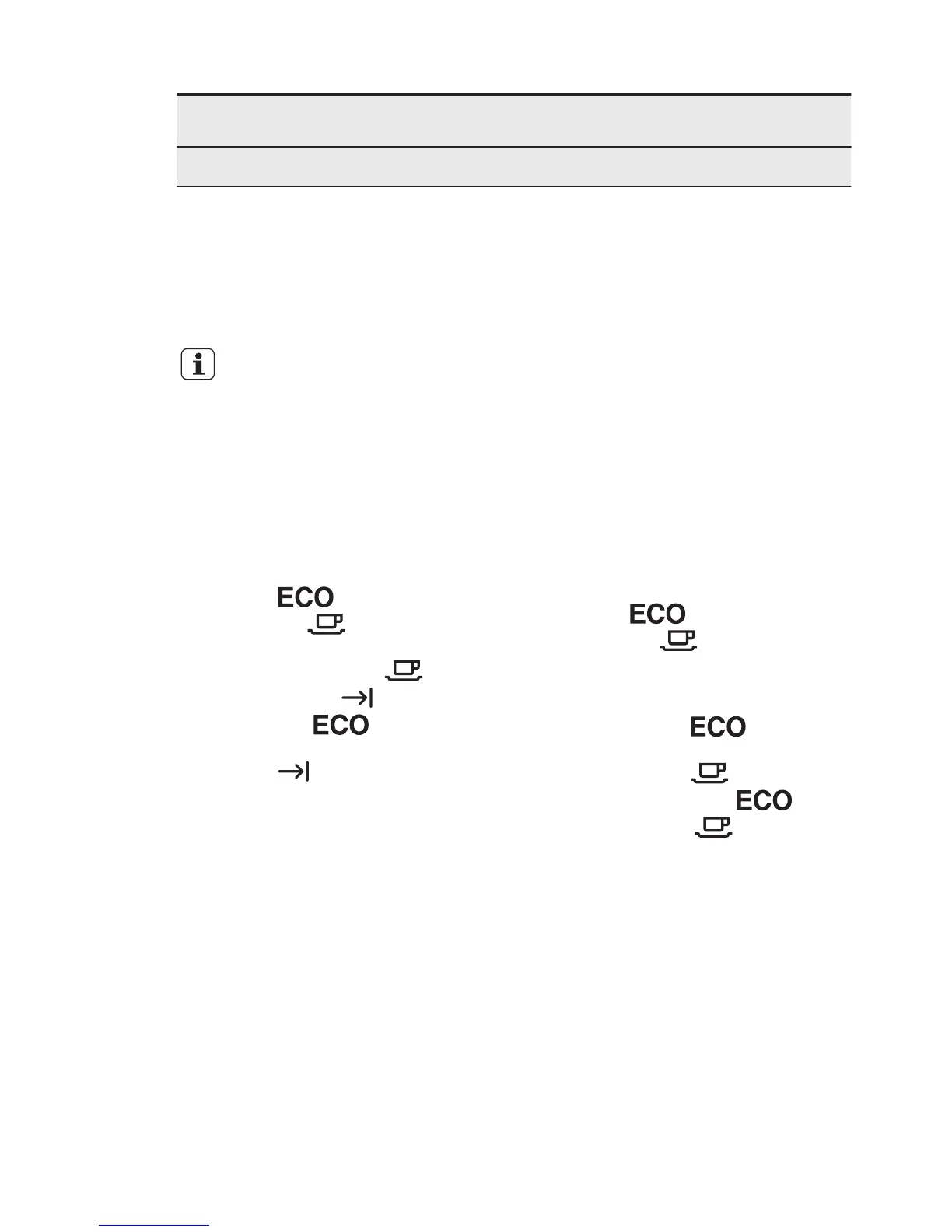
1. To enter the user mode, press and
hold the programme button until the
indicator
starts to flash and
the indicator comes on with
fixed light.
2. Wait until the indicator goes off
and the indicator starts to flash.
The indicator
continues to
flash. The intermittent flashing of the
indicator refers to the current set
level.
• E.g. 5 flashes + pause + 5 flashes
= level5.
3. Press programme button repeatedly
to change the setting. Each time you
press programme button the level
number increases. After level 10 you
will start again from level 1.
4. Press the on/off button to confirm the
setting.
6.3 Acoustic signals
Acoustic signals sound when a
malfunction of the appliance occurs. It is
not possible to deactivate these acoustic
signals.
There is also an acoustic signal that
sounds when the programme is
completed. By default this acoustic signal
is deactivated but it is possible to
activate it.
How to activate the acoustic
signal for the end of
programme
The appliance must be in programme
selection mode.
1. To enter the user mode, press and
hold the programme button until the
indicator
starts to flash and
the indicator comes on with
fixed light.
2. Press immediately the programme
button.
• The indicator comes on
with fixed light.
• The indicator starts to flash.
3. Wait until the indicator
goes
off. The indicator continues to
flash.
• The end indicator indicates the
current setting: End indicator off =
Acoustic signal off.
4. Press the programme button to
change the setting.
• End indicator on = Acoustic signal
on.
5. Press the on/off button confirm the
setting.
ENGLISH 9



 To Next Page