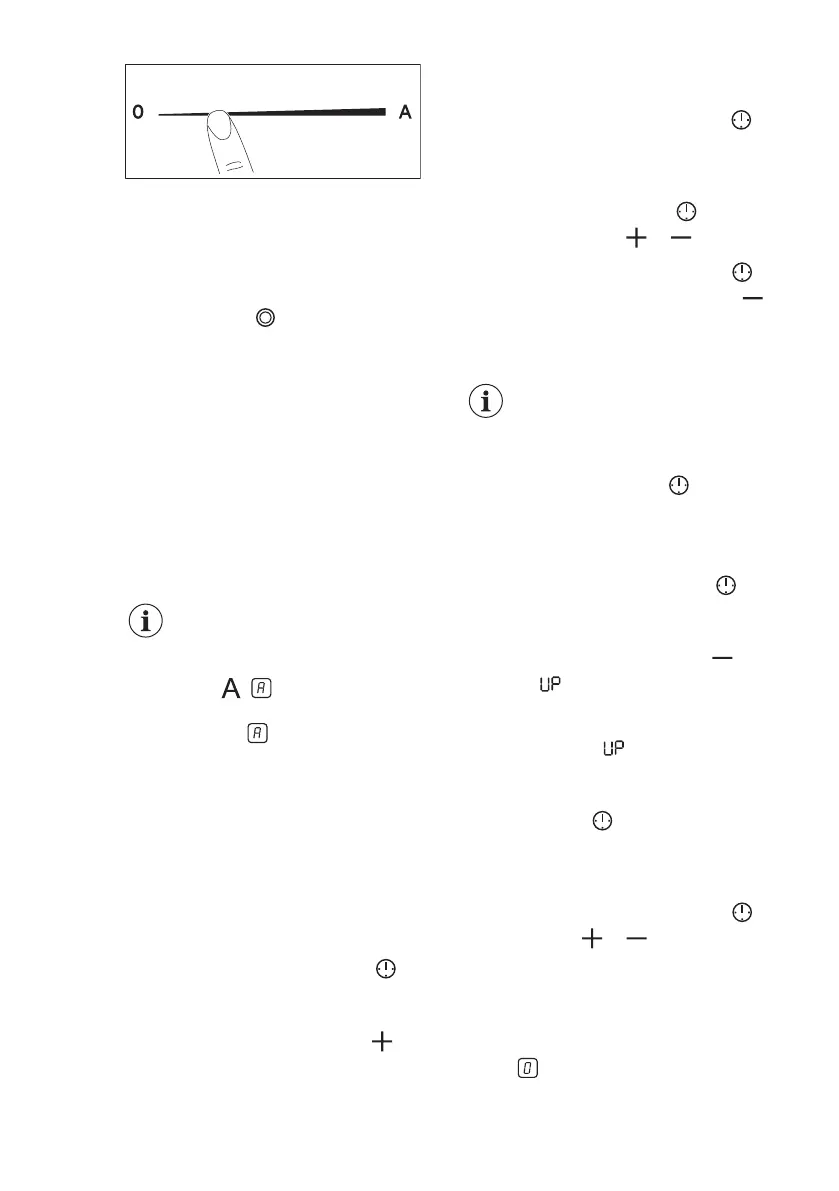
5.4 Activating and deactivating
the outer rings
You can adjust the surface you cook to
the dimension of the cookware.
Use sensor field:
To activate the outer ring: touch the
sensor field. The indicator comes on.
To deactivate the outer ring: touch the
sensor field until the indicator goes out.
5.5 Automatic Heat Up
Activate this function to get a desired
heat setting in a shorter time. When it is
on, the zone operates on the highest
setting in the beginning and then
continues to cook at the desired heating
setting.
To activate the function the
cooking zone must be cold.
To activate the function for a cooking
zone: touch ( comes on).
Immediately touch a desired heat setting.
After 3 seconds comes on.
To deactivate the function: change the
heat setting.
5.6 Timer
• Count Down Timer
You can use this function to set the
length of a single cooking session.
First set the heat setting for the cooking
zone, then set the function.
To set the cooking zone: touch
repeatedly until the indicator of a cooking
zone appears.
To activate the function: touch of
the timer to set the time (00 - 99
minutes). When the indicator of the
cooking zone starts to flash, the time
counts down.
To see the remaining time: touch to
set the cooking zone. The indicator of the
cooking zone starts to flash. The display
shows the remaining time.
To change the time: touch
to set the
cooking zone. Touch or .
To deactivate the function: touch to
set the cooking zone and then touch .
The remaining time counts down to 00.
The indicator of the cooking zone
disappears.
When the countdown ends,
an acoustic signal sounds
and 00 flashes. The cooking
zone deactivates.
To stop the sound: touch .
• CountUp Timer
You can use this function to monitor how
long the cooking zone operates.
To set the cooking zone: touch
repeatedly until the indicator of a cooking
zone appears.
To activate the function: touch of
the timer. appears. When the
indicator of the cooking zone starts to
flash, the time counts up. The display
switches between
and the counted
time (in minutes).
To see how long the cooking zone
operates: touch
to set the cooking
zone. The indicator of the cooking zone
starts to flash. The display shows how
long the zone operates.
To deactivate the function: touch
and then touch or . The indicator of
the cooking zone disappears.
• Minute Minder
You can use this function when the hob
is activated and the cooking zones do
not operate. The heat setting display
shows .
www.electrolux.com12




 To Next Page