53
Procedure for use
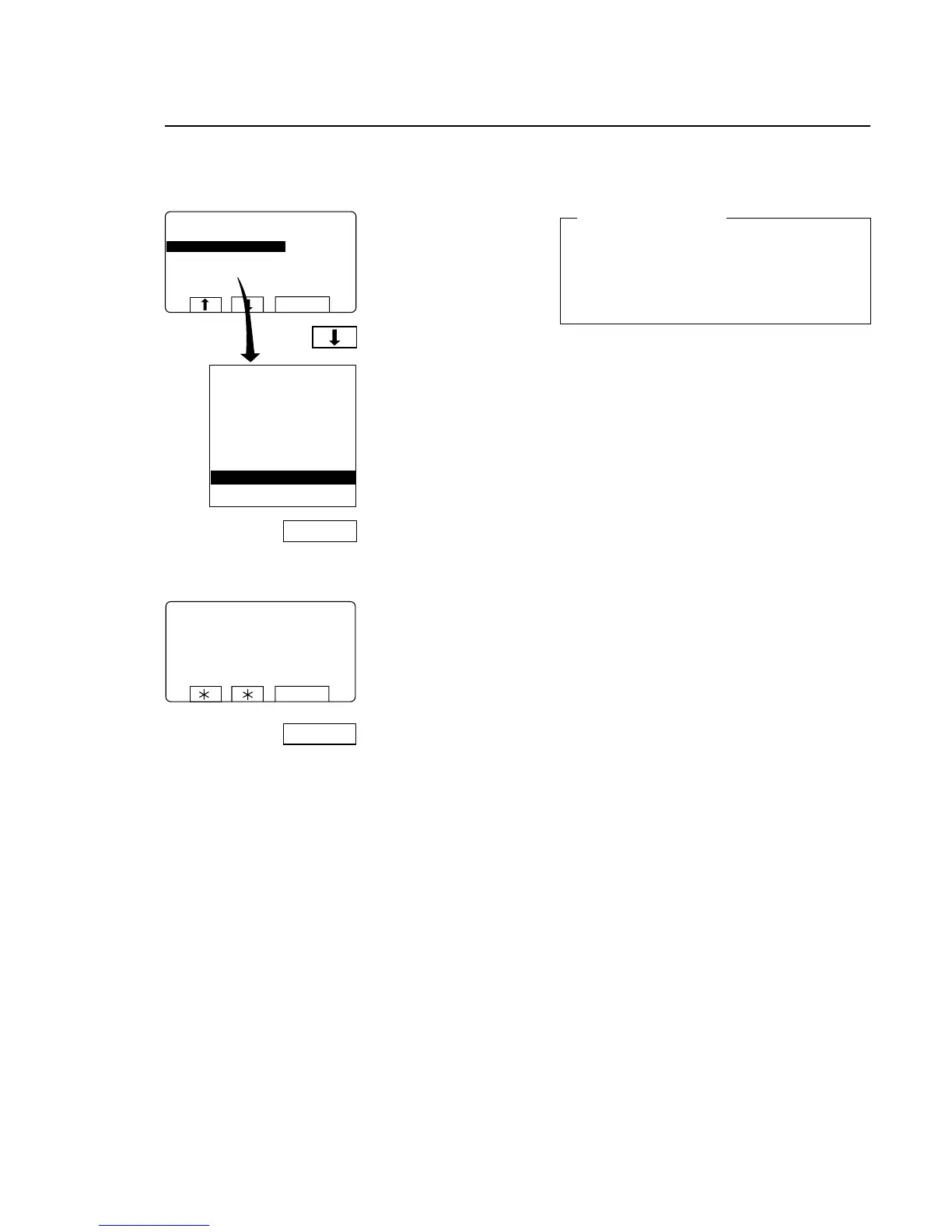
Press SELECT.
Press b seven times to
highlight ”READ VERSION
NUMBER”.
The screen shows the
version number.
Press SELECT.
Read version number
For machines with weighing equipment installed only!
Read version number
In the event of a fault in the weighing equipment
(which cannot be put right with the aid of the
section “Fault-finding, weighing equipment” in the
machine manual), make a note of the version num-
ber accessed via this function before you contact
the supplier’s service department.
4780
SERVICEPROGRAM
MAKE A CHOICE:
RESET SCALE TO ZERO
RESET TARE TO ZERO
TARE SCALE
SETTARETOACERTAINVALUE
READTAREVALUE
CALIBRATE THE SCALE
SELECT
RESET SCALE TO ZERO
RESET TARE TO ZERO
TARE SCALE
SETTARETOACERTAINVALUE
READTAREVALUE
CALIBRATE THE SCALE
ZERO CALIBRATION
READ VERSION NUMBER
EXIT
SELECT
SCALE ADJUSTMENTS
READVERSIONNUMBER
STATHMOSAB3050REV00521
SELECT
SELECT
3588








 To Next Page