Press the boot button on the side for 3 seconds,the small light on the USB
interface or the bottom light is on,It means that themicroscope is already
turned on. Press andhold the boot button on the side for 3 seconds, USB,
the smalllight on the interface side is off or the bottom light is off,
whichmeans that the microscope has been off. (Note: the microscopemon-
omer is closed, suspended after use, do not forget to coverthe lens cover.)
(Note: In case of any other problems, the reset hole will restore the
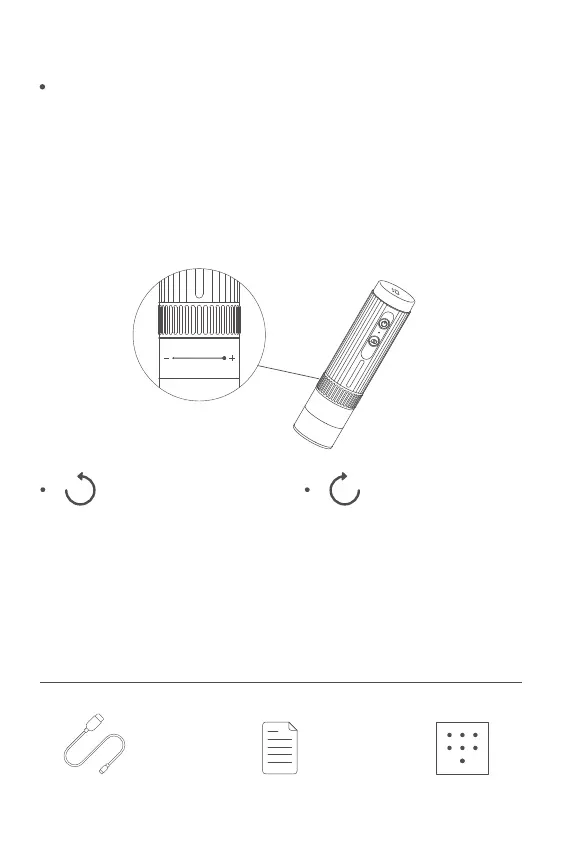
factory setting. At the same distance, the rotating zoom cylinder
has two magniations. To adjust more multiples, it can be adjusted
up and down through the microscope base bracket.)
5 Accessories and Tools
The Microscope is On and Off
Microscopic Magnification Regulation
Counter-Clockwise
Rotation: multiple
magnification
Data Wire Instructions Calibration Card
Clockwise Rotation:
multiple reduction
Product Magnification
Ratio
Project Parameter
Lens Structure
Angle of Field
LED Quantity
Focus Mode and Focus
Range
Imaging Distance
Sensor Size
Noise-signal Ratio
Sensitivity
Video Recording Format
50X-1000X
2G+IR
16°((depending on the lens)
8 SMD 3528 bright white lights
(brightness adjustable)
Manual adjustment, 0 to 40 mm
3mm to Infinity
1/4”
37db
4300mV/lux-sec
AVI
产品放大倍率:
项目 参数
镜头结构
视场角:
LED 数量:
聚焦方式及调焦范围:
成像距离:
传感器尺寸:
信噪比:
灵敏度:
视频录制格式:
50X-1000X
2G+IR
16°(具体根据镜头决定)
8 颗 SMD3528 高亮白灯(亮度可调节)
手动调节、0~40mm
3mm 至无限远
1/4”
37db
4300mV/lux-sec
AVI


 To Next Page
 Loading...