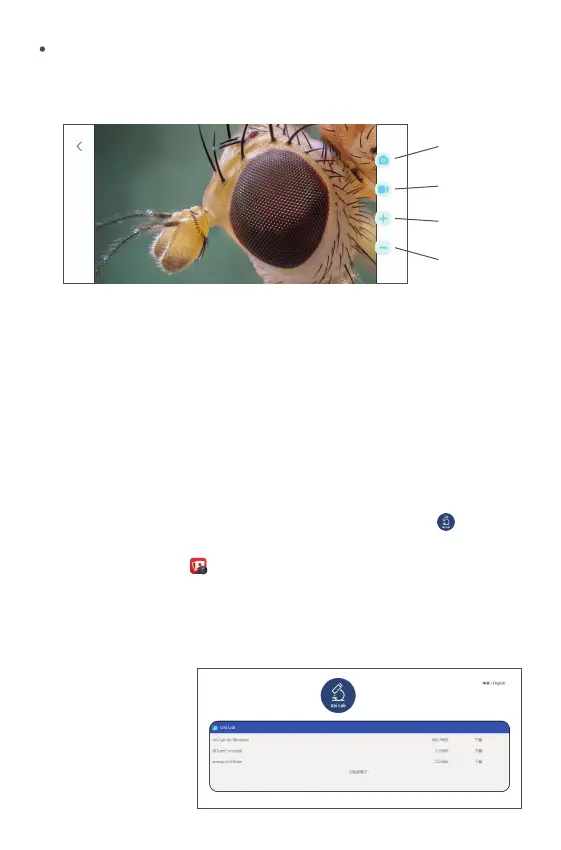
Take a photo: Select a photo mode
Recording: Select the recording mode
Zoom in:Click to zoom in on the screen (use when the screen is too small)
Zoom Out:Click to zoom out the screen (used when the screen is too
large,the default is the smallest each time it is opened)
Because of the mobile phone model version is different, the pictures are
for reference only
The Computer Interface Introduction and Use
①When the computer operating system is Windows 10 or higher, search
in the Microsoft Store Download “Uni Lab”, (as shown in “ ”); when
the computer system is Mac, please use the computer to Watch with a
camera (as shown in " "). The device camera button cannot be used,
it can only be realized through software Photo recording function;
②Windows 7 and Windows XP system,please download the software
from the following website"http://www.weetool.net"
Photo
Video
Zoom In
Zoom Out
APP, Reading Interface
①Log in the website
and download
UniLab software.


 To Next Page
 Loading...