Hearing Aid & Charging Case
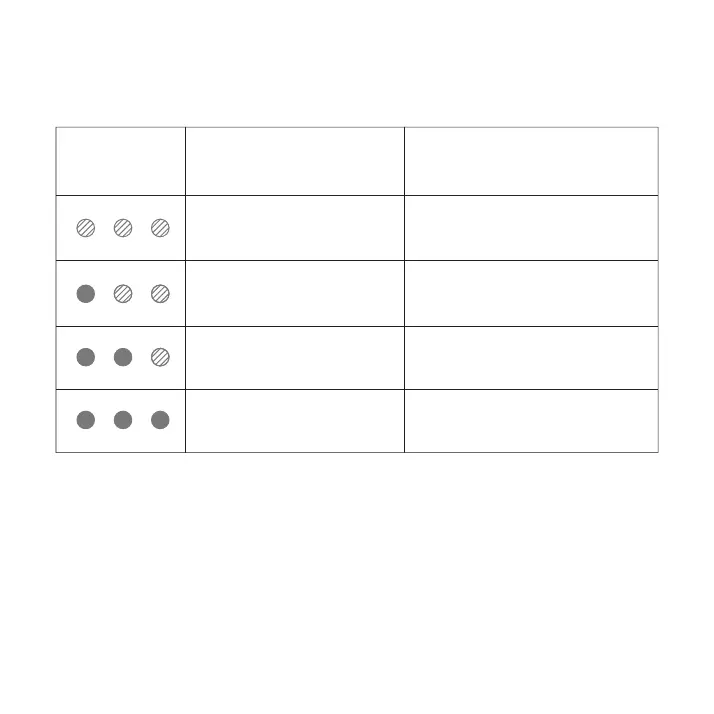
Active flashing mode
1 light always on,
2 lights on active flashing mode
2 lights always on,
1 light on active flashing mode
3 lights always on
Battery level < 30%
Battery level < 60%
Battery level < 90%
Battery level ≥ 90%
Hearing Aid
Indicator
Indicator Status Battery Level
Note: Use the specified power adapter (DC 5V/1A) and power
cord (3A). When charging in a safe environment, make sure the
device system meets the requirements of the GB9706.1-2020
standard.
30
(4)Charging status


 To Next Page