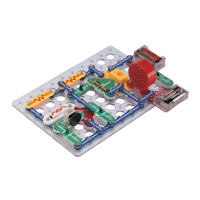
Project 101
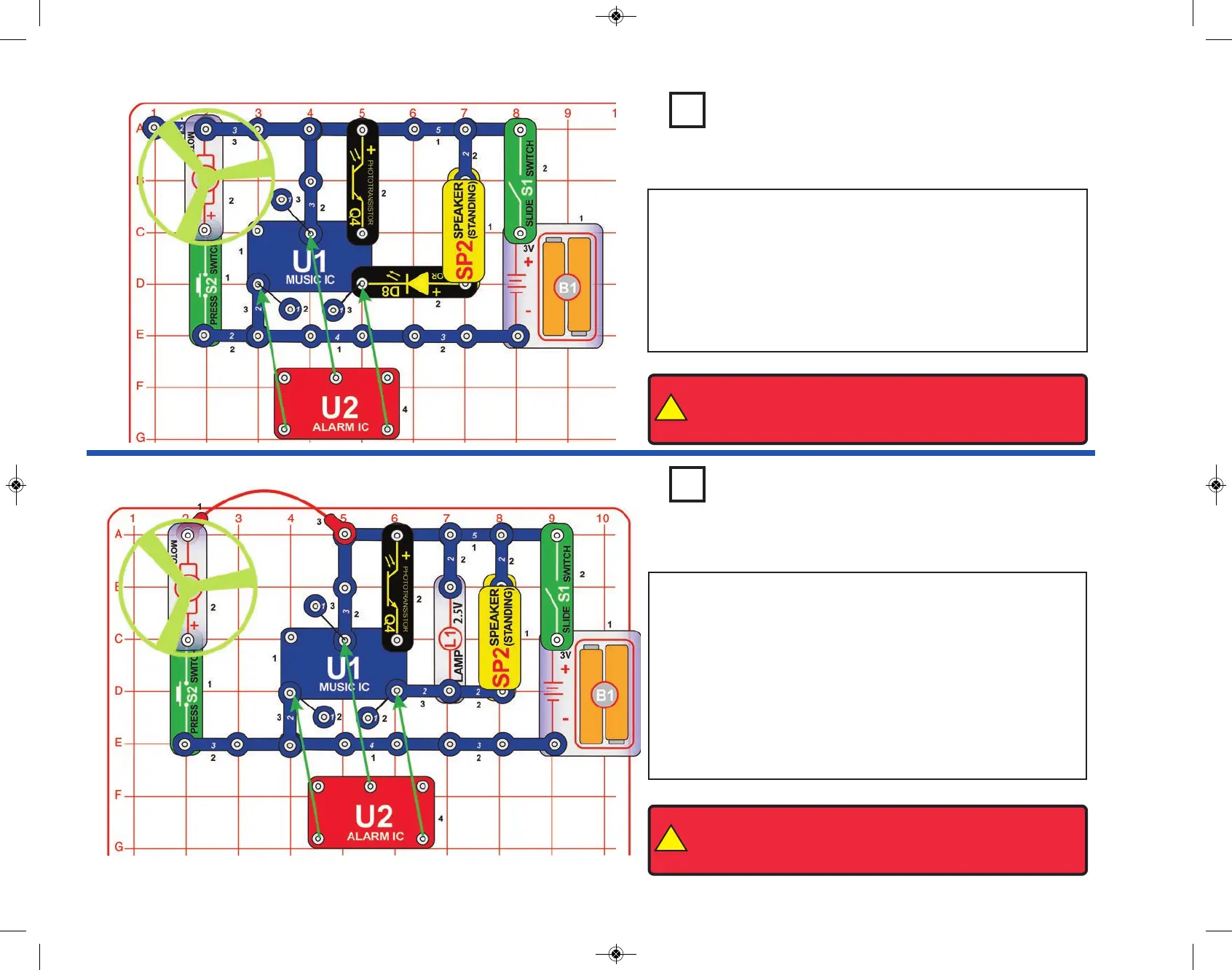
Project 102
Sing & Fling
Power Pitch
In the circuit, the outputs from the alarm and music ICs are
connected together. Build the circuit shown and then place the
alarm IC (U2) directly over the music IC (U1), resting on two 1-
snaps and a 2-snap. Turn on the slide switch (S1) and you will hear
a siren and music together while the lamp (L1) varies in brightness.
Push the press switch (S2) and the fan spins, while the sound may
not be as loud. The fan may rise into the air when you release the
switch.
You can replace the lamp with the color LED (D8, “+” on top). The
sound will be louder than in the preceding circuit.
In the circuit, the outputs from the alarm (U2) and music ICs are
connected together. Build the circuit shown and then place the
alarm IC (U2) directly over the music IC (U1), resting on two 1-
snaps and a 2-snap. Turn on the slide switch (S1) and you will hear
a siren and music together. Push the press switch (S2) and the fan
spins, while the sound may not be as loud. The fan may rise into
the air when you release the switch. If the sound stops, shine light
on the phototransistor (Q4).
!
WARNING: Moving parts. Do not touch the fan or motor during
operation. Do not lean over the motor. Fan may not rise until
switch is released.
!
WARNING: Moving parts. Do not touch the fan or motor during
operation. Do not lean over the motor. Fan may not rise until
switch is released.
-43-
1
1


 To Next Page