Setting the Temperature Control
Each cooling compartment of the wine cooler (upper & lower) is independently controlled. To set
the temperature:
Connect the power cord to a properly grounded outlet. In the event of a power interruption, all
previous temperature settings are automatically erased and each compartment will default to a
preset temperature setting of: 6℃ (43℉) for upper compartment and 12℃(54℉) for lower
compartment.
Set the desired cooling temperature by pressing the buttons adjacent to the “set upper/set lower”
program. Each depression of the buttons will scroll through the available temperature settings (for
each compartment) in increments of 1 degree. The temperature selected will flash in the LED
display for approximately 5 seconds, then revert back to display the temperature of the internal
cabinet
Upper compartment: The temperature setting can be adjusted from 4℃ to 10℃ (39℉ to 50℉).
Lower compartment: The temperature setting can be adjusted from 10℃ to 18℃ (50℉ to 64℉).
To view the “set” temperature. (anytime) press and hold the corresponding button for
approximately 5 seconds, the “set” temperature will temporarily “flash” in the LED display for 5
seconds.
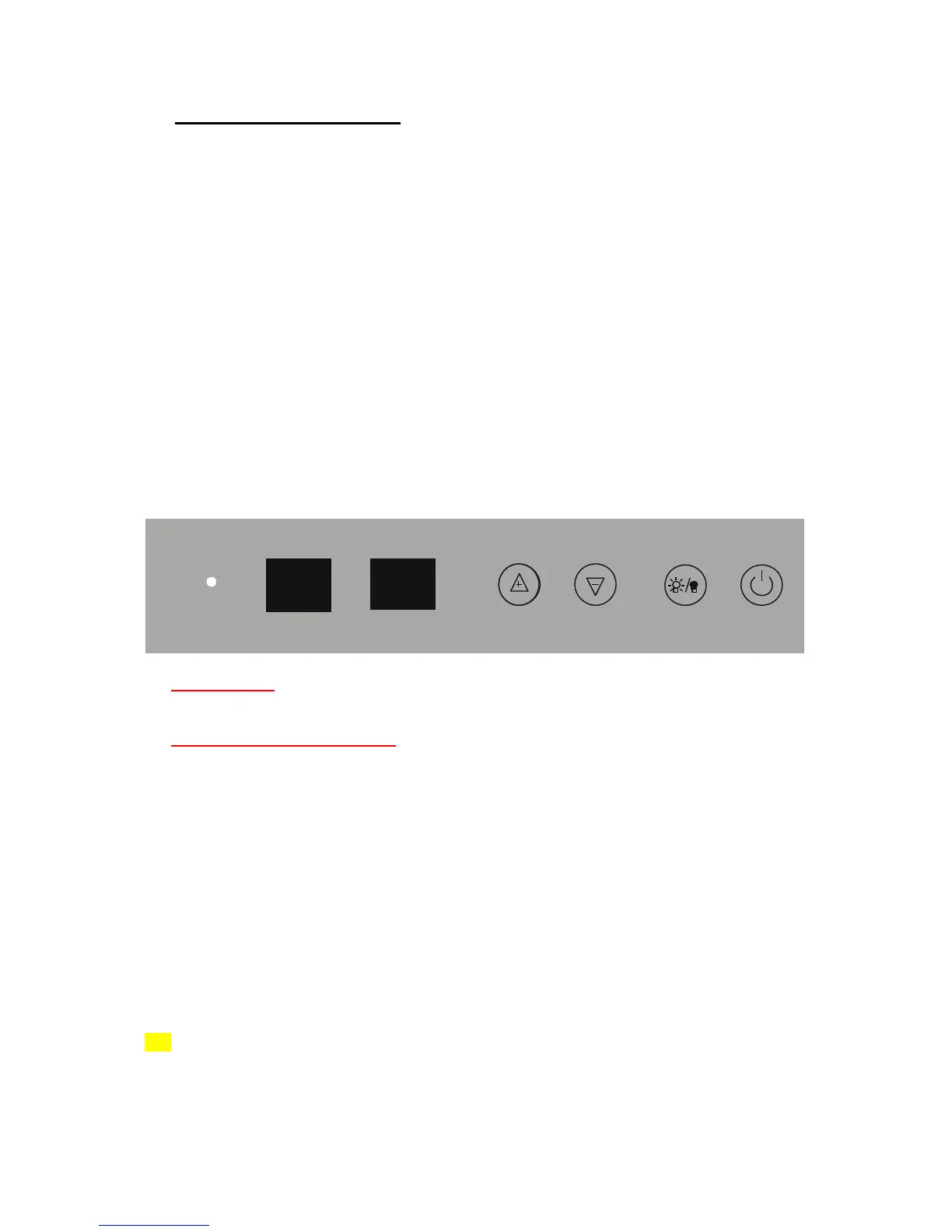
BC120SS
ON/OFF Power
To turn OFF the appliance, press the ON/OFF button with two seconds.
Setting the Temperature Control
You can set the temperature as you desire by pushing the UP(+) or DOWN(-) button. When you
push the two buttons for the first time, the LED readout will show the original temperature set at
previous time (the temperature preset at the factory is 54ºF(12℃).
The temperature that you desire to set will increase 1ºF or 1ºC if you push the UP(+) button once,
on the contrary the temperature will decrease 1ºF or 1ºC if you push the DOWN(-) button once.
When you store mostly red wines, the temperature which you control by pushing the above two
buttons need to be set at between 59 to 64 F(15-18℃) .
When you store mostly white wines, the temperature needs to be set at between 48 to 57 F(9-
14℃).
When you store mostly sparkling wines, the temperature needs to be set at between 41 to 46 F
(5-8℃).
You can select temperature display setting from Fahrenheit to Celsius degree by pushing the
UP(+) and DOWN(-) button at the same time for 5 seconds. Fahrenheit and Celsius degrees
indicator will appear in green color in the “SET” window. (Due to different market, some units can
only display Fahrenheit or Celsius)
The temperature inside the unit will be appear in red color in the “DISPLAY” window.


 To Next Page
 Loading...