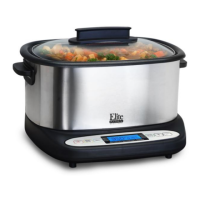
HOW TO USE THE KEEP WARM
(BUFFET FUNCTION):
The Infinity Cooker can also be used as a
buffet server to keep food warm. Food
can be kept warm from 1 hour up to 4
hours. This can be used for food
previously cooked in the Infinity Cooker
or for food already prepared that you
want kept warm.
1. Place ingredients into the inner pot
and place the pot into the base.
Cover with Glass Lid.
2. Plug the unit into an outlet and
press the POWER button.
3. Press the MENU button until the
flashing indicator arrow moves to
the KEEP WARM position.
4. Press the TIMER/TEMP button once
and the default time of "02:00" on
the display will flash. Press the + or
- buttons to adjust in 30 min
increments to the desired KEEP
WARM time.
5. Follow the Cooking Function Chart
on page 8 to reference the range of
cooking times for the KEEP WARM
mode. (Temperatures are not
manually adjustable in KEEP WARM
mode).
[NOTE: The unit will countdown 10 sec
and begin cooking if no other buttons
are pressed.]
6. Press the START/STOP button once
to begin keeping warm.
7. Once the timer is up the unit will
power off and beep 3 times.
8. When you are finished using the
unit, make sure the POWER is “Off”
and then unplug the unit and allow
it to cool completely before
handling.
TIP #4: Food can be kept warm in the
Infinity Cooker for up to 4 hours. Past 4
hours and food contents may start to
become dry or the flavor may alter.
Food cooked in other appliances can be
transferred to the Infinity Cooker to
keep warm as well.


 To Next Page
 Loading...