Shielded wires or live wires in metal conduits,
casings, metal walls or thick, dense walls will not
be detected.
Use caution when nailing, cutting or drilling in
walls, ceiling and floors that may contain wiring
or pipes near the surface.
When working near ac electrical wires, always
turn off the wires' power.
Depending on the proximity of electrical wiring
or pipes to the wall surface, the unit may detect
them in the same manner as studs. Caution should
always be used when nailing, sawing, or drilling
into walls, floors, and ceilings that may contain
these items.
To avoid surprise, be aware that anything closer
together or of a different width may be an additional
stud, ceiling joist, pipe or fire break.
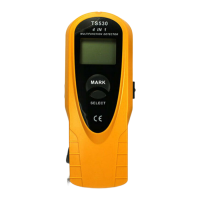
If you don't use the unit for about 20 seconds, it
will power off automatically. To turn on it again,
press TEST button for about 1 second.
2.
3.
4.
5.
6.
1.
2.
3.
1.
2.
3.
4.
1.
2.
3.
4.
5.
6.
AC Scan ( )
For maximum sensitivity, begin by placing this unit
at some position away from hot wiring.
Select ac scan mode, press and hold TEST button,
the unit gives two short beeps. Place it on wall,
refer to the Figure 6, slowly move it across wall
(don't loose TEST button).
When the whole alarm icon and the sound appears,
stop moving. It means the unit detects an edge of
a hot wire. Mark this spot at the groove (don't
loose TEST button).
Continue moving in the same direction until the
whole alarm icon and the sound disappear, and
then, still holding the TEST button in, reverse
direction and locate other edge. Mark this spot.
(See Figure 6 )
The midpoint between two marks is center of hot
wire.
NOTE
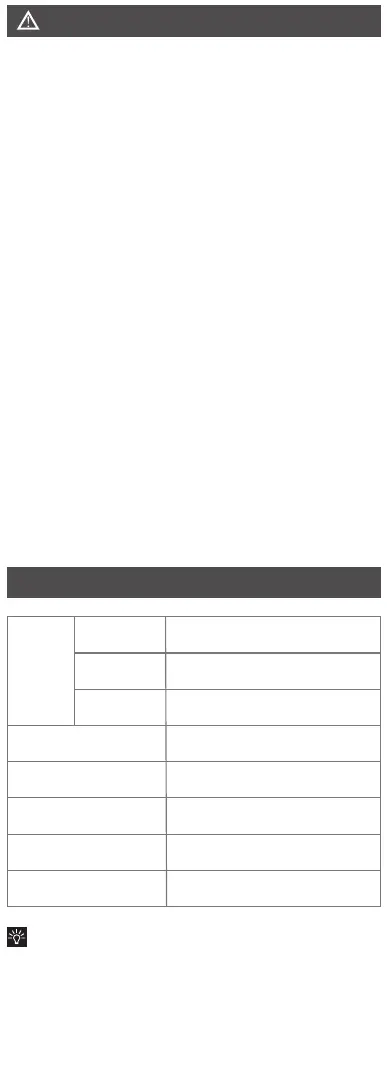
Wood stud of 30×30mm : *14mm
Iron pipe of ø25mm: *30mm
-7°C ~ 40°C below 75% RH
-20°C ~ 50°C below 85% RH
6F22, 9V
180(L)×73(W) ×32(T)mm
about 213g ( including battery)
Stud mode
Metal mode
Voltage mode
Operation condition
Storage condition
Battery
Dimension
Weight
Detection
depth
When the symbol" " appears on the display,it
means that the battery is low and should be
replaced. Remove the battery door, connect a 9V
battery to cable and place inside. Rejoin battery
door correctly.
BATTERY REPLACEMENT
DISPOSAL OF THIS ARTICLE
Dear Customer,
If you at some point intend to dispose of this article,
then please keep in mind that many of its components
consist of valuable materials, which can be recycled.
Please do not discharge it in the garbage bin, but
check with your local council for recycling facilities
in your area.
1.
2.
3.
Wires deeper than detection limit from surface,
in conduit, or behind plywood shearwall will not
be detected, Use caution under these circumstances.
Rubbing or banging the unit on the wall may
generate static electricity and cause a false
indication.
Leakage Currents
Because of the extremely small current
required to cause an indication from the
unit, an apparent false indication may
be seen in some some situation, i.e a
conductor with poor insulation touching
a damp wall, the unit will show a voltage
on the wall. In this situation, the unit
is indicating a potential hazard which
should be checked with a voltmeter.
Note
Typical depth of 50mm for 90~250V
at 50~60 Hz.
Figure 5
Figure 6
If by chance the unit is placed over a wall batten
or stud to start, the whole alarm icon and the
sound will not appear when an edge of batten
or wall stud is under the unit.
The surface of wall along which you want to
detect should be flat.
We recommend to carry metal/voltage detection
to make sure the detected batten or wood stud
is not a pipe or cable. Please note that some small
securing screws or nails may be detected.
Keep your another hand away from the unit when
using this unit to avoid disturbance.
If there are two studs existing adjacently, the unit
may not detect accurately.
AC
AC
AC
METAL
METAL
METAL
SPECIFICATION
Select metal scan mode, hold this unit in air away
from any metal object, press and hold TEST
button, the unit gives two short beeps. Place it
on wall, refer to Figure 3, slowly move it across
surface (don't loose TEST button).
When the whole alarm icon and the sound
appears, stop moving. It means the unit detects
an edge of a metal object. Mark this spot at the
groove (don't loose TEST button ).
Continue moving in the same direction until the
the whole alarm icon and the sound disappear,
and then, still holding the TEST button in, reverse
direction and locate other edge. Mark this spot.
Midpoint between two marks is center of the
metal object. See Figure 5.
Metal Scan ( )
Detection depth and edge detection can vary due to
moisture content of materials, wall texture, paint, etc.
Note:


 To Next Page
 Loading...