User manual & technical documentation– Satellites Decentral – NL-GB-DE-FR-ES-RUS-CZ – Rev 1.1 - 28062017
23
Instruction table
Closed
• If no cleaning activities are being performed, all valves at the delivery point
should be closed.
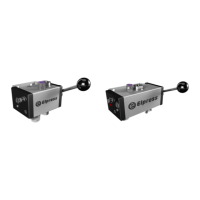
• If no cleaning activities are being performed the handle most be in stop
position (grey). [1]
√ √
Rinsing
• Connect the rinse Lance (blue) to the spray gun.
• Set the handle in the rinse position (blue). [2]
• Start rinsing activities.
• Always close the valves by setting handle in stop position (grey) [1]
√ √
Foaming
• Connect the foam lance (white) to the spray gun.
• Set the handle in the foaming position (white). [3]
• Start foaming activities.
• Always close the valves by setting the handle in stop position (grey) [1]
• At first use the foam quality needs to be set. To adjust the setting look at
chapter: Changing settings
√ √
Disinfecting
• Connect the disinfection lance (red) to the spray gun.
• Set the handle in the disinfecting position (red). [4]
• Start disinfecting activities.
• Always close the valves by setting the handle in stop position (grey) [1]
√
After use
• After each use, each injector must be rinsed through with clean water. For this
purpose, immerse the chemical suction hose into a basin of clean water and,
using the rince lance, operate the spray gun for a minimum of 2 minutes so
that the water rinses the injector, thereby avoiding the formation of crystals in
the injector/suction line.
• Always close the valves by setting the handle in stop position (grey) [1]
√ √


 To Next Page
 Loading...