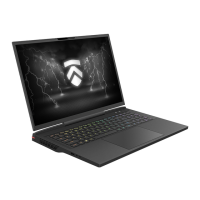
20 Notebook Manual
English
TIP: The power button should be pressed for 2-3 seconds to power the system
on. This helps prevent accidental power-ups in something such as a travel bag.
1
3
2
4
5
6
Camera Status LED
The Camera Status LED helps you see whenever the camera is
powered on.
Upright Camera
A device that allows you to record video or take photographs with
your computer. This used to be located at the bottom of the screen
and was great for realizing it's time to cut your nose hair.
Infrared capability for facial recognition camera
can be used to identify and authenticate user to unlock notebook,
conduct payment and other security functions.
Microphone
Built-in microphones.
IR CCD MIC*2
LCD screen
Internal display of your notebook computer.
Power modes & way to tell the level you're in based on LED
Beast mode: Both White (All lights)
Gaming mode: White (Bottom light)
Office mode: OFF
Power Button
Press this button to turn the computer's power on or off.


 To Next Page