2
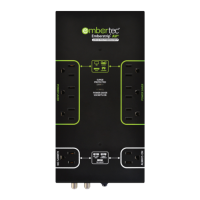
Setting Up the Embertec Emberstrip™ AV
+
1. Connect the supplied SmartSensor cable to the side of the Embertec
Emberstrip™ AV
+
. Ensure this is plugged in firmly. Make sure that the
SmartSensor is connected to the Embertec Emberstrip™ AV
+
prior
to connecting it to the power or the SmartSensor and Power Saver
sockets will not operate.
2. Plug AV equipment that can automatically be switched off into
the 'Power Saver' sockets on the strip.
3. Identify equipment that requires constant power for cool down
period, timers, program guides and recording features, and plug
into the sockets marked ‘Always On’, or into another wall socket.
4. Place the SmartSensor in a convenient location that is in line of
sight. Close to your television is the best position, and within normal
operation of your existing remote control(s).
5. For coaxial cable surge protection:
a) Connect your DSS receiver, TV, VCR or cable box to the Coax OUT
Connector on the unit.
b) Connect your incoming antenna, cable or DSS line to the Coax IN
Connector on the unit.
6. Plug the Embertec Emberstrip™ AV
+
into a 110V or 120V power point.
7. Power is now applied to the 'Power Saver' sockets. The LED monitoring
light on the Embertec Emberstrip™ AV
+
will light up for 3 seconds.
This also indicates that the Embertec Emberstrip™ AV
+
has performed
a load check.
Important
Please retain your instruction book for future use.
In the event that you need assistance with your Embertec Emberstrip™, please
contact us on 831-708-2621 or email us at customerservice@embertec.com
Alternatively, visit us on our website at www.embertec.com
Quick Connection Guide


 To Next Page
 Loading...