COMMUNICATION (MESSAGES Setup - RS485)
This instrument can send emails and / or sms when a system failure or warning happens. If instrument is configured to
operate through the LAN only email messages can be send. Otherwise if instruments has a mobile modem both SMS and
emails messages can be send.
-%33!'%33ETUP
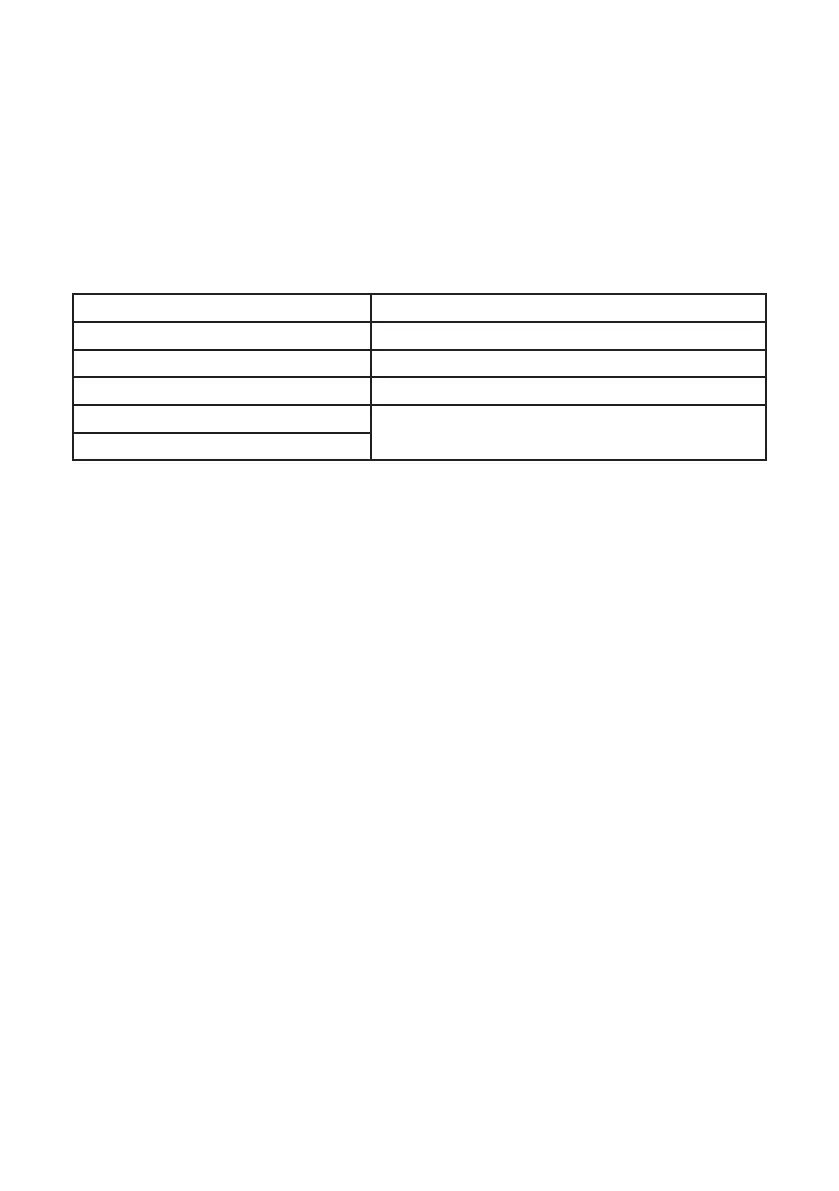
Within this menu is possible to setup up to three SMS (SMS1, SMS2, SMS3) recipients and two email (email 1, email 2)
addresses. Editing MSG ALARM and MSG WARNING ALARM is possible to setup which type of error must be notified
(see below table).
MSG warning MSG alarm
0$;,0807,0(5($&+(' PROBE FLOW ALARM
HCl LEVEL &+/25,1(',2;,'(,16725$*(12/21*(586$%/(
NaClO2 LEVEL SYSTEM NOT READY
ST.Tank Full
SYSTEM NOT READY
233ETUP
This instrument can be connected in a network of instruments via RS485 (max 32) to take advantage of a single modem
or LAN connection for remote programming (through ERMES server) or local (ask your provider).
Make the cable connections as described in RS485 terminal blocks and then in the RS485 menu, set the RS485
unique
ID NAME for each instrument.
CHECK if entered in ID NAME has been properly accepted by clicking on ID CHECK, if an error message is reported by
the instrument modify it.


 To Next Page
 Loading...