1. Photo Booth
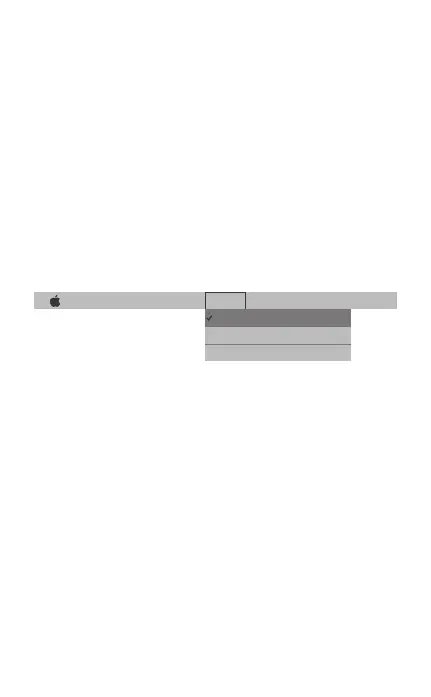
Photo Booth File Edit View Camera Window Help
HD Webcam eMeet C960
FaceTime HD Camera(Built-in)
Enable Screen Flash
Your system should automatically detect the Webcam in
the Photo Booth if it has no internal camera of its own. In
rare cases where it does not, please try disconnecting the
camera and reconnecting it once Photo Booth is already
running, or you may try to restart your Mac.
If your Mac has a built-in camera already, you may open
Photo Booth , chick the Camera on the top left of your
screen, and choose the “HD Webcam eMeet C960” to
use this webcam (like the photo below )
2. Face Time
So long as the Mac being used meets Apple’s guidelines
for running Face Time (having either OS X v10.5 installed
or, on a small number of models, a built-in iSight camera
on OS X v10.4), simply follow the installation instructions
for Macs. Your system should automatically detect the
Webcam in the Face Time.
If your Mac has a built-in camera already, you may open
Face Time, chick Video on the top left of your screen, and
choose the “HD Webcam eMeet C960” to use this.
webcam (like the photo below )
5


 To Next Page