3.1.3 Skype
Antes de ejecutar Skype, asegúrate de que cualquier otra
aplicación que esté usando la webcam esté completamente
cerrada. Si no lo haces puede que Skype no reconozca la webcam.
Es muy recomendable actualizar tu Skype a la última versión.
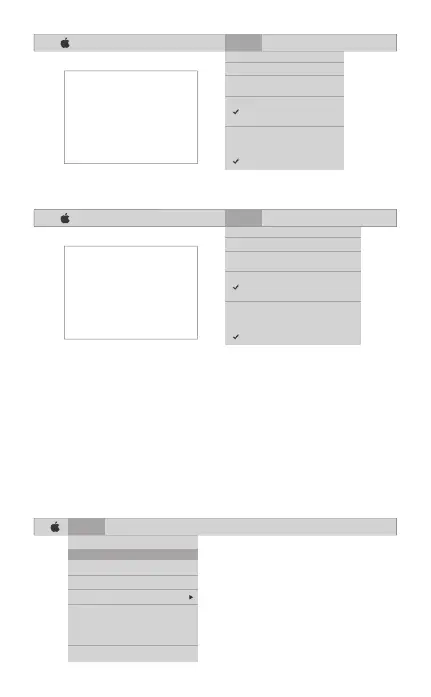
Una vez que hayas instalado Skype y lo hayas iniciado, selecciona
Preferencias... desde el menú de Skype en la esquina superior
izquierda de tu pantalla (como en la siguiente foto):
España [ 55 ]
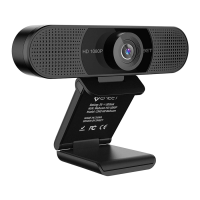
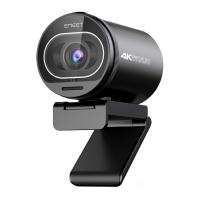
HD Webcam eMeet C980 Pro:
Skype File Edit View Window Tools Help
About Skype
Preferences...
Audio & Video Settings...
Check For Updates
Services
Hide Skype
Hide Others
Show All
Quit Skype
FaceTime File Edit Video Window Help
Mute
Always on Top
Use Landscape
Enter Full Screen
Camera
HD Webcam eMeet C980
FaceTime HD Camera
Microphone
Use System Setting
Internal Microphone
HD Webcam eMeet C980
If you`d like to use the webcam`s
microphone,please make sure
the HD Webcam eMeet C980
(UnderMicropho-nesection)is
selected. otherwise you may use
the Internal Microph-one.
FaceTime File Edit Video Window Help
Mute
Always on Top
Use Landscape
Enter Full Screen
Camera
HD Webcam eMeet C980 Pro
FaceTime HD Camera
Microphone
Use System Setting
Internal Microphone
HD Webcam eMeet C980 Pro
If you`d like to use the webcam`s
microphone,please make sure
the HD Webcam eMeet C980 Pro
(UnderMicropho-nesection)is
selected. otherwise you may use
the Internal Microph-one.


 To Next Page