This document is an owner's manual for an EQK Emerson Quiet Kool dehumidifier, specifically a 25-pint model.
Function Description
The EQK dehumidifier is designed to remove moisture from indoor residential spaces. It operates by drawing in moist air, removing the water, and expelling warmer, drier air. It is not intended for outdoor use, commercial use, or for preserving precision instruments, tableware, or artwork. The unit does not have a cooling or heating function; heat is generated during operation, which may increase room temperature by about 6°F (3°C) depending on usage conditions and room size.
Important Technical Specifications
- Model: 25 Pints
- Power Supply: 115V (103.5 min. to 126.5 max.)
- Circuit Protection: 15A time-delay fuse or circuit breaker
- Operating Temperature Range: 38°F to 90°F (3.2°C to 32.2°C). Below 38°F, water may freeze inside; above 90°F, a protective device may deactivate the product to prevent damage.
- Humidity Display Range: 30% Relative Humidity to 90% Relative Humidity.
- Settable Humidity Range: 30% Relative Humidity to 80% Relative Humidity.
- Compressor Delay: Features a 3-minute delay before restarting to protect the compressor.
- Grounding: Must be plugged into a grounded three-prong outlet.
- Clearance: Requires at least 12" to 18" (30.5 cm to 45.7 cm) of space on the rear and sides (for models with back louvers) or above (for models with top louvers).
- Garden Hose Connector: North American standard 3/4" diameter straight (non-tapered) thread with a pitch of 11.5 threads per inch (male part has an outer diameter of 1 1/16 inches (26.99mm)). The drain hose inner diameter should be greater than 1/2".
Usage Features
The dehumidifier features a control panel with several indicators and buttons:
- Clean Filter Light: Illuminates when the air filter needs cleaning.
- Empty Bucket Light: Indicates when the water bucket is full or not properly installed, stopping operation.
- Digital Display: Shows the relative humidity of the room when running. In continuous mode, "CO" is displayed, and room humidity is not shown.
- Power Button: Turns the unit on and off. A 5-second press resets the filter monitor.
- Plus/Minus Buttons: Used to set the desired humidity level.
- Single Fan Speed: The unit operates at a single fan speed. The fan may periodically turn on to read humidity levels even when the compressor is off.
- Desired Humidity Mode: Allows manual adjustment of the humidity level between 30% and 80% Relative Humidity. The compressor turns on if room humidity is higher than the set level and turns off if lower.
- Continuous Operation Mode: Can be set by pressing the Minus button until "CO" flashes and is displayed. In this mode, the dehumidifier operates continuously at its maximum dehumidification settings, ideal for use with a garden hose for direct draining.
- De-icing Function: Automatically shuts off the compressor and allows the fan to run if low temperatures cause ice formation. The compressor resumes when the correct operating temperature is sensed.
- Power Failure Memory: In the event of a power failure, the dehumidifier will resume operation with its previous settings once power is restored.
The dehumidifier offers two draining options:
- Bucket Draining: Water collects in a removable bucket. When full, the "Empty Bucket" light illuminates, and the unit stops. The bucket can be slid out, lifted by its handle, and emptied into a sink or tub.
- Gravity Draining (Continuous): For continuous operation, a garden hose (sold separately) can be attached to a drain hose connector inside the unit. The hose must be securely attached, lie flat, and its outlet must be at least 5.5" lower than the connector on the dehumidifier to ensure proper gravity drainage.
Normal operating sounds include compressor sounds, air movement from the fan, and clicking sounds when the unit or compressor turns on/off or when the automatic shut-off switch activates.
Maintenance Features
- Air Filter Cleaning: The air filter is removable and should be checked every two weeks. It can be cleaned with a vacuum cleaner or washed in warm water with a mild detergent. It must be completely air-dried before reinstallation. Do not wash in a dishwasher or use chemical cleaners. After cleaning and reinstallation, press the POWER button for 5 seconds to reset the filter monitor. The filter light stays on for 180 hours or until reset.
- Exterior Cleaning: The surface of the unit can be dusted with a soft cloth or a vacuum cleaner attachment after turning off and unplugging the unit.
- Water Bucket Cleaning: The inside of the water bucket should be rinsed every few weeks with a mild detergent to prevent mold, mildew, and bacteria growth.
- Water Level Float: The water level float inside the bucket is crucial for proper operation. It should not be damaged or removed. If it is not properly in place, the "Empty Bucket" light will turn on, preventing operation and potentially causing leaks.
- Storage: When storing or shipping the appliance, it should never be placed upside down or sideways to avoid damage to the compressor.
- Disposal: The appliance and its refrigerants must be disposed of in accordance with Federal and Local regulations. Packaging materials should be recycled in an environmentally friendly manner.

 Need help?
 General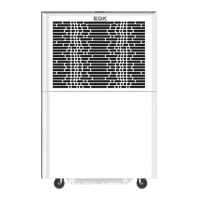

 To Next Page