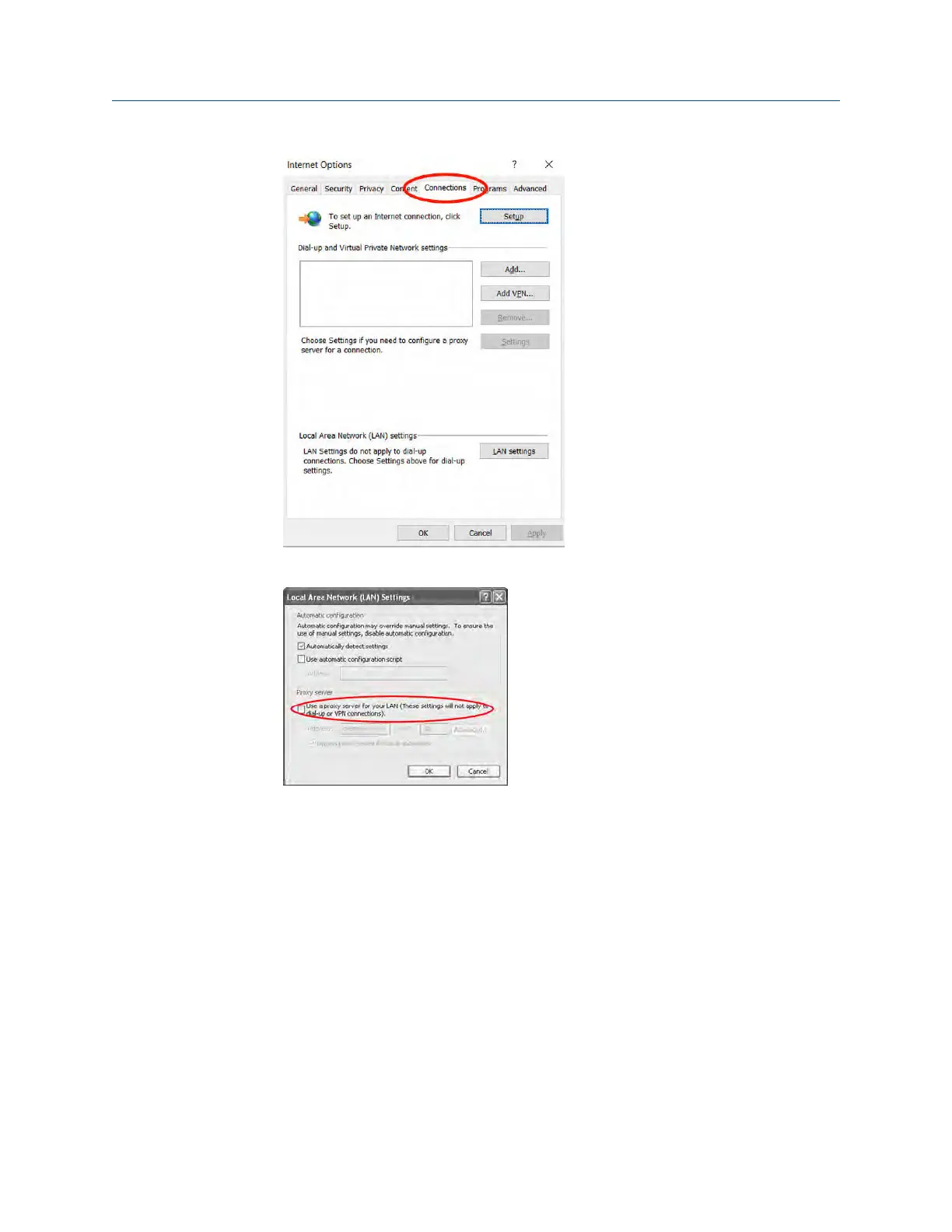
3. Under Proxy server, uncheck the Use a proxy server... box.
2.3.5 Configure the Gateway
Use these steps to complete the initial configuration for the Gateway. This will need to be
done for both the WirelessHART
®
and ISA100 networks.
Procedure
1.
Access the WirelessHART default web page for the Gateway at https://
192.168.1.10. You will have to configure both networks individually.
a) Log on as Username: admin
b) Type in password: default
Configuration Reference Manual
May 2020 00809-0600-4410
14 Emerson.com



 To Next Page
 Loading...



