1
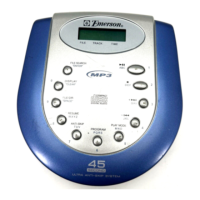
Press the 2DEF button ❶ 4
times to select the letter “F”,
then press the FILE
SEARCH/ENTER button
❷ to
enter the “F” and move the
cursor to the next position.
2
MP3 SELECTING FILES BY NAME
You can search for a file by name, using the letter buttons to enter
the name of the song.
First, press the FILE SEARCH/ENTER button, followed by the
appropriate letters to enter the name of the file. Remember that
each letter button can enter 4 or 5 letters/numbers depending on
the number of times you press the button. If you press the 1ABC
button once, the number “1” appears. Press twice for “A”, 3 times
for “B” and 4 times for “C”. For example, if the first word in the song
title is “Funny”, you would enter the word “Funny” on the display as
follows:
MP3 SELECTING DIRECTORIES BY NAME
You can search for a directory by name by following the same
procedure as the MP3 SELECTING FILES BY NAME section on
pages 17 and 18, but press the FILE SEARCH/ENTER button twice.
CONTINUED ON THE NEXT PAGE
Press the FILE SEARCH/
ENTER button once.


 To Next Page