4
LOCATION OF CONTROLS (CONTINUED)
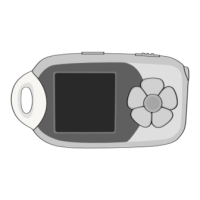
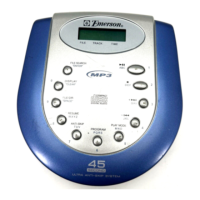
No. Name Normal Mode File Search
1 Display LCD Function Display
2 Battery Insert Batteries, see
Compartment page 5
3 FILE SEARCH Search for MP3 files ENTER
4 DISPLAY MP3 Display select 0, CLEAR
5 FILE/DIR. Locate MP3 file 9, “Space”
6 RESUME CD: Continues playback from 8,W,X,Y,Z
last track played.
MP3: Continues playback from
last position played.
7 ANTI-SKIP Electronic Anti Skip Protection 7,T,U,V
(ESP) ensures continuous playback.
8 PROGRAM Memorizes & reviews programs. 6,P,Q,R,S
9 OPEN Switch Slide to the right to open the CD
compartment.
10 DC4.5V Jack Use with external Power Supply.
11 PLAY/PAUSE Turns the unit on. Also starts 1,A,B,C
and pauses playback.
12 STOP Stops CD play, clears a 2,D,E,F
program. Also turns the unit off.
13 LINE OUT Jack Connect to an external amplifier,
such as a car stereo.
14 PHONES Jack Connect 3.5mm headphones.
15 VOLUME Adjusts the volume.
16 SKIP/SEARCH+ Press & release:Skip forward. 3,G,H,I
Press & Hold: Search forward.
17 SKIP/SEARCH– Press & release:Skip backward. 4,J,K,L
Press & Hold: Search backward.
18 DBBS Turns BASS enhancement on/off.
19 PLAY MODE Cycles between RANDOM, 5,M,N,O
INTRO,REPEAT A,REPEAT1.


 To Next Page