2.0 Sensitivity setting
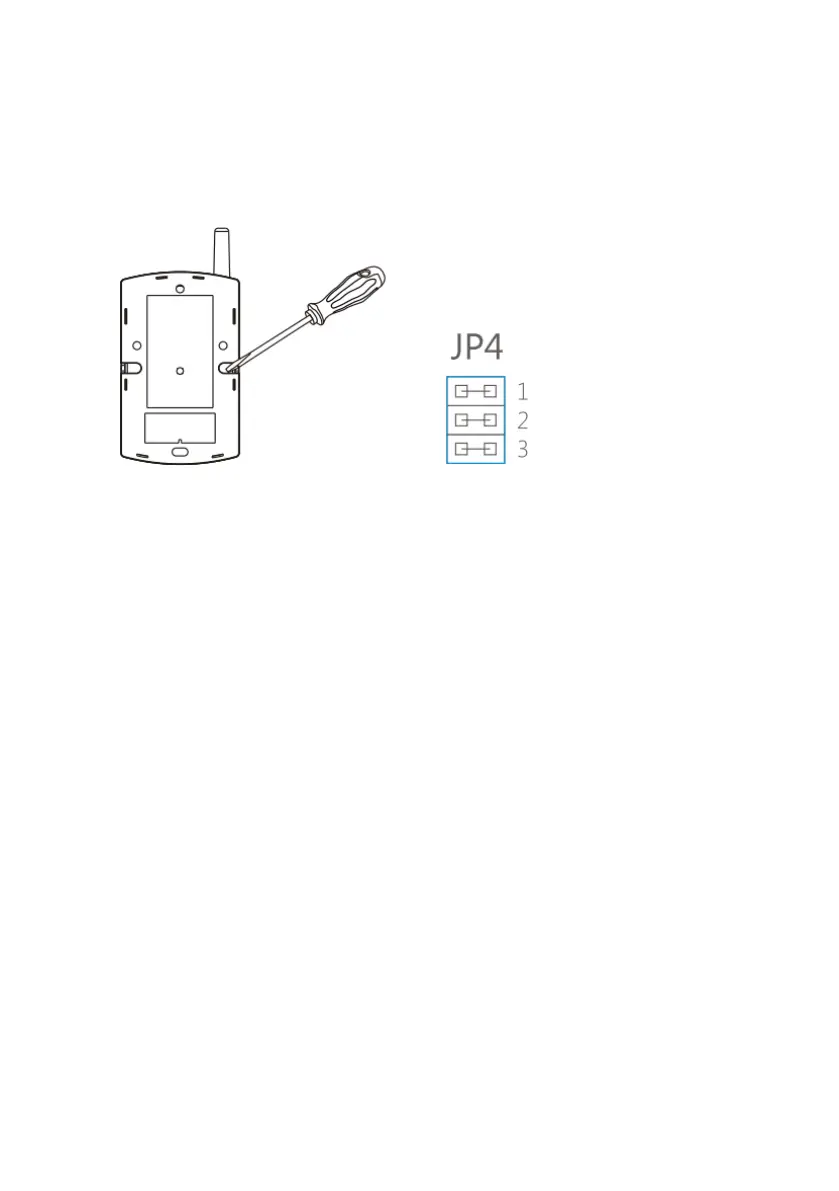
Gently remove the back cover with a screwdriver . Set the jumper accordingly to the
required sensitivity.
1) High sensitivity
2) Medium sensitivity
3) Low sensitivity
3.0 Connect to the alarm system
Make sure the alarm system is in connection state (input code on alarm system and
press the memo button).
Press the tamper switch or trigger the vibration detector. When the vibration detector
is connected successful the alarm system will give one beep.
4.0 Installation
1. Remove the battery insulation strip. The detector will be switched on
automatically.
2. Clean the object on which the vibration detector should be installed.
3. Mount the vibration detector with the supplied double sided adhesive tape to the
surface. Make sure the antenna is upward.
4. Test if the vibration detector is working correctly. If necessary adjust the sensitivity
as mentioned in chapter “Sensitivity setting”.


 To Next Page
 Loading...