How to Use the Robot
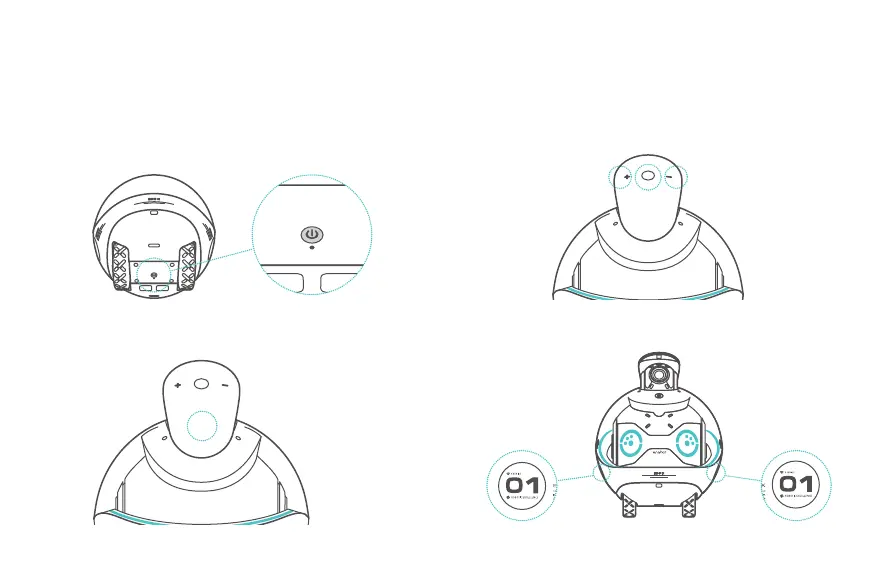
1. Power on/Power off: Press the power button to turn on the robot.
Press and hold the power button for 3 seconds to turn off the robot.
2. Tap the Action button to use the voice assistant without saying
any wakeup words.
3. Play control functions: Volume + / Volume - and Pause/Play.
4. Touch areas (left and right):
(1) The left touch area:
switch to the previous
lighting theme or the
previous track.
(2) The right touch area:
switch to the next
lighting theme or the
next track.
05


 To Next Page