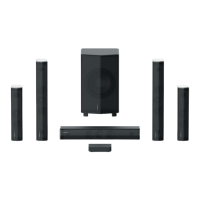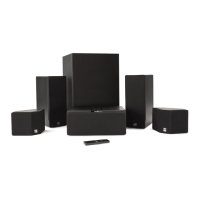
 To Next PageTo Next Page
 Need help?
Do you have a question about the Enclave Audio CINEHOME HD SERIES and is the answer not in the manual?
 General
| Audio Channels | 5.1 |
|---|---|
| Bluetooth | Yes |
| Speaker Configuration | 5.1 |
| Wireless Rear Speakers | Yes |
| HDMI Inputs | 3 |
| Wi-Fi | No |
| Dolby Atmos Support | No |
| DTS:X Support | No |
| Connectivity | HDMI |
| Subwoofer | Yes |
| Wireless | Yes |
| HDMI Output | 1 |
Describes the function and behavior of the front panel blue indicator LED on the Smart Center.
Explains the rear LED indicators on the subwoofer and satellite speakers for network connection status.
Details the physical connections available on the rear panel of the Enclave Smart Center unit.
Provides instructions for connecting audio and video sources using an HDMI cable for optimal quality.
Explains how to connect sources that do not use HDMI, via Optical, Analog, or Bluetooth.
Lists the specific DC voltage and amperage requirements for powering the Smart Center and all speakers.
Describes how to download and use the mobile app for wireless streaming and system control.
Instructions on arranging speakers for optimal surround sound experience, including centering and aiming.
Steps for connecting power adapters to speakers and wall outlets, and connecting audio/video sources.
Procedure for turning on the system, automatic speaker pairing, and initial startup sequence display.
Guidance on positioning front speakers to form a slight arc and point towards the main seating area.
Recommendations for placing surround speakers to the left and right of, or just behind, the listening position.
Advice on subwoofer placement for optimal bass, including near walls or corners for enhanced effect.
Tips for verifying correct speaker placement according to the diagram if the system isn't working properly.
Explains the on-screen display as the primary interface for system control and settings via HDMI connection.
Instructions for using the power button on the remote or Smart Center to turn the system on and off.
Details on adjusting master volume and individual speaker channel volumes using the remote control or Smart Center.
Guide on how to switch between different audio input sources like HDMI, Optical, AUX, and Bluetooth.
How to access and navigate the system menu for fine-tuning settings like audio modes and speaker setup.
Explanation of Dolby Pro Logic II's virtual 5.1 sound creation, including Auto, Movie, and Music modes.
How to customize audio playback to reduce peak volume levels for late-night listening.
Information on enabling/disabling auto-pairing for Bluetooth devices and managing connections.
Details on adjusting rear delay/balance, using noise sequence test, and resetting wireless connections.
Steps to resolve no audio issues, including checking speaker power, LED status, and performing a wireless reset.
How to use the noise sequence generator to test individual speaker audio output and confirm connections.
Guidance on resolving issues where only front speakers produce sound, checking player settings.
Steps to diagnose and fix issues with speakers not being detected or connected to the system.
Advice on confirming proper speaker placement and labeling to ensure correct system operation.