Panoramic VR IP Camera 360º
14
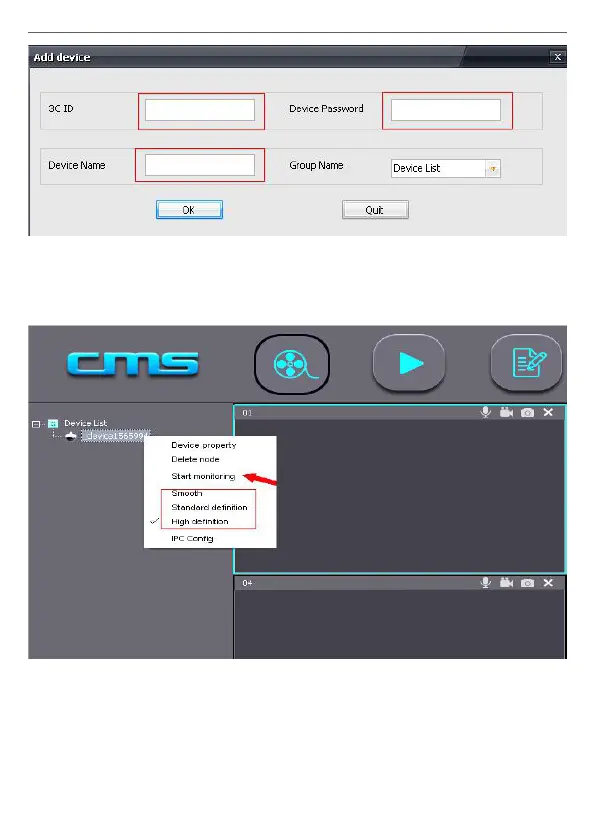
5) Device monitor in PC
Open CMS software, right mouse click device name →→ choose the
denition and click start to monitor, as the following picture.
6) The video setting in PC
1) Video: This device can store the video inthe computer’s hard disk, right
click on the monitor screen, select “start record”.
Note: Be sure only in the computer monitoring condition, the video can
be stored in the computer’s hard disk.


 To Next Page